
“PicTrée Grid Grab in Hokkaido 2026 Summer” – Tips for Photographing Manholes and Handholes (Updated Aug. 14, 2026)

Thank you for playing PicTrée.
The new season “PicTrée Grid Grab in Hokkaido 2026 Summer” has been running since Saturday, August 8, 2026.
We would like to share photography tips for the “Manhole (Close-Up),” “Manhole (Wide-Angle),” “Handhole (Close-Up),” and “Handhole (Wide-Angle)” angles, which frequently result in review rejections.
Please refer to the Review OK and Review NG examples to help you capture higher-quality photos.
[Manhole “Close-Up” Angle]
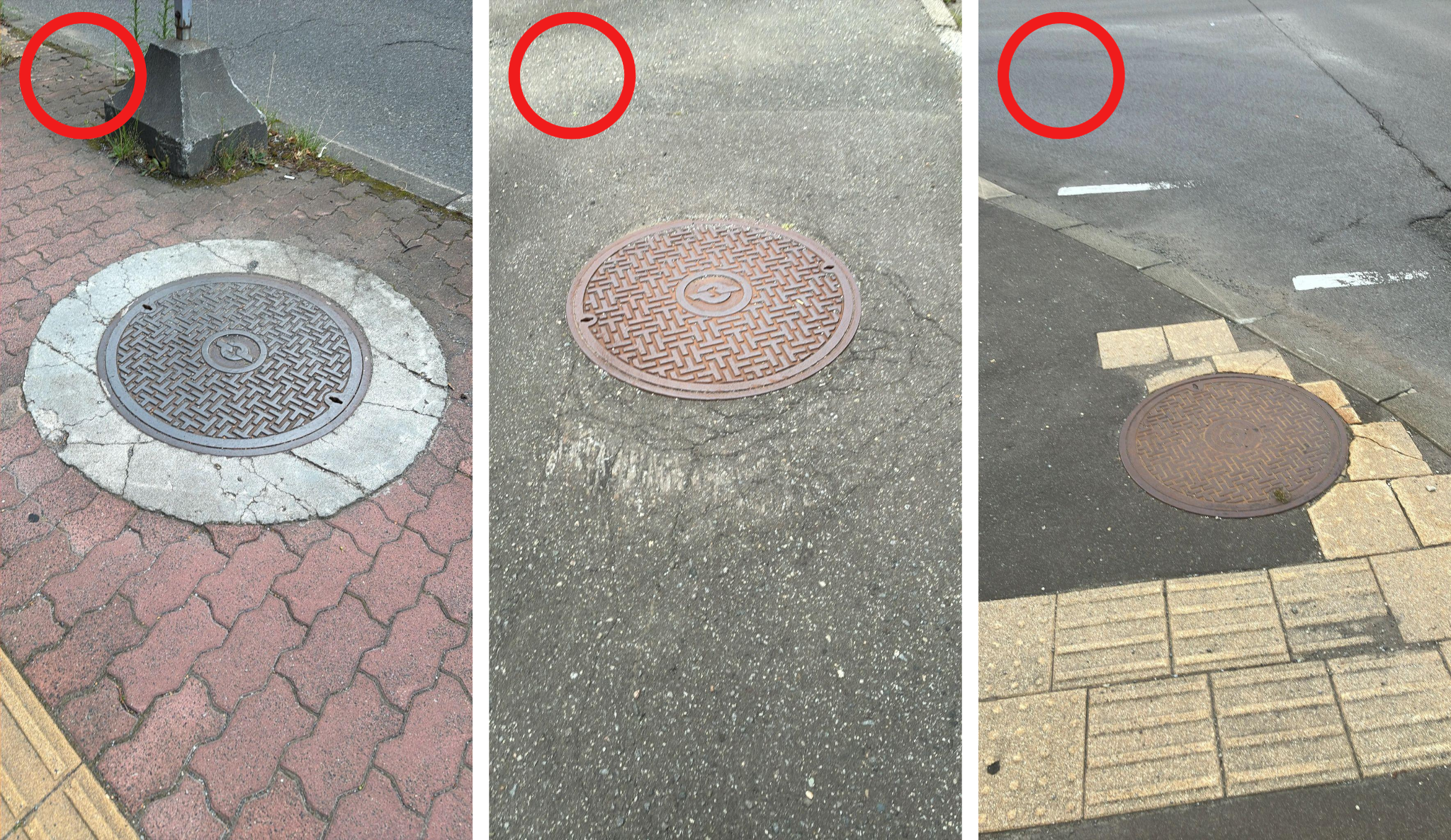
◼️Key Photography Tips
・Shoot from about 2–3 meters away rather than directly above.
・Frame the shot so that the manhole and about 30 cm of its surroundings are visible.
・On rainy days, do not photograph manholes with puddles as the reflection prevents proper inspection.
*For more details on shooting methods, please follow the steps under “How to Check Shooting Methods” in the app.
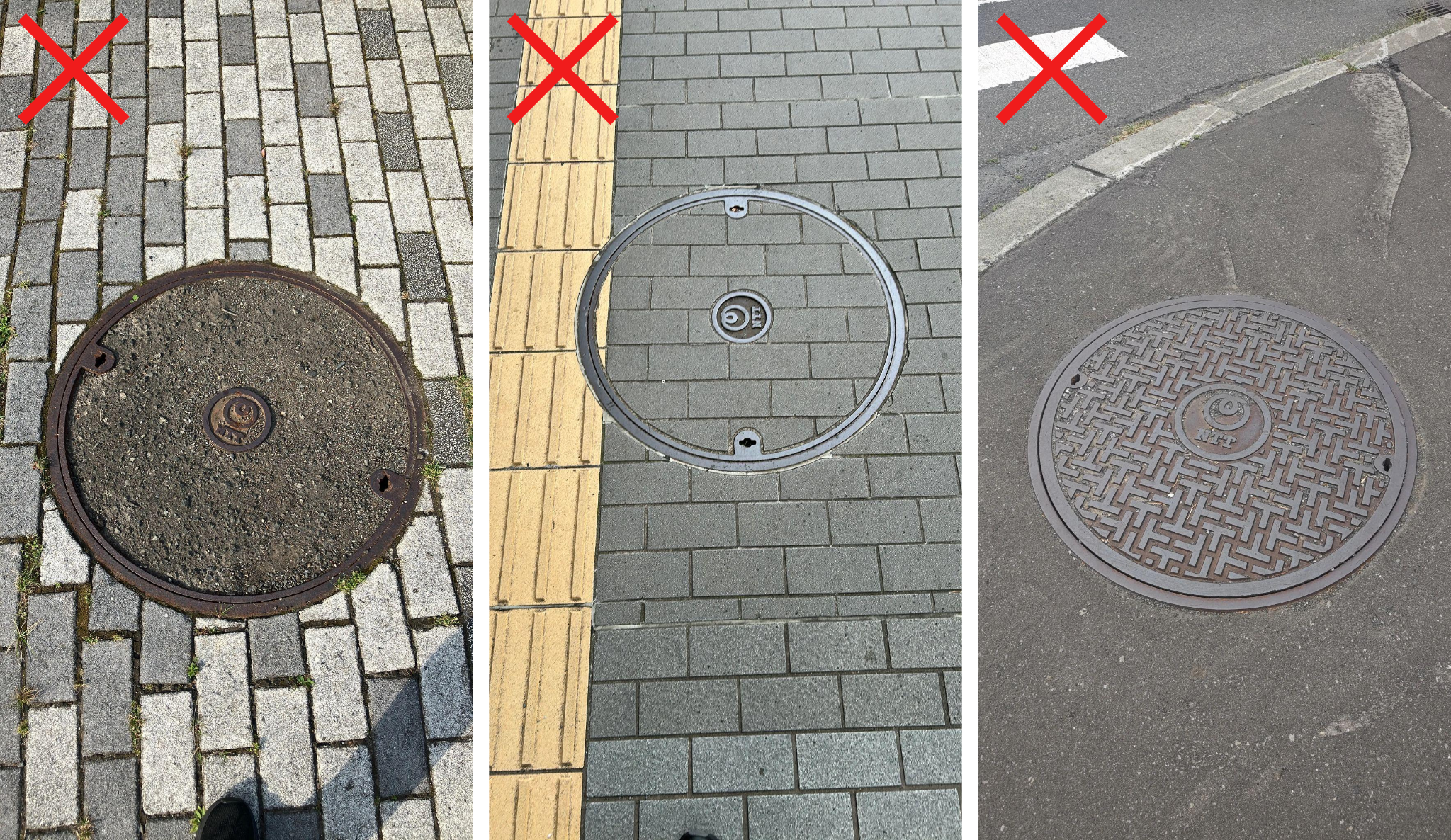
◼️Shooting from almost directly above
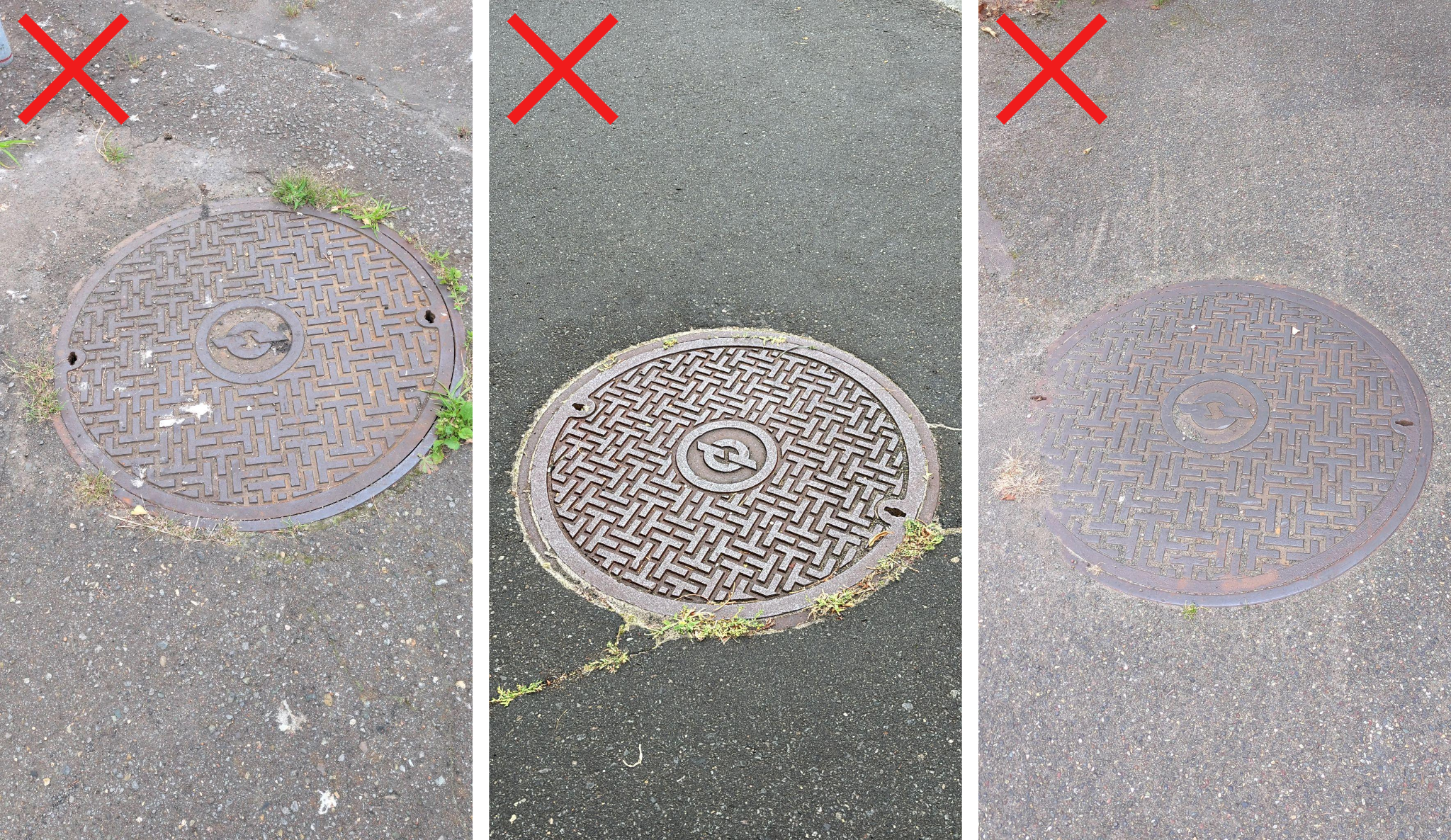
◼️Photographing with the manhole filling the entire screen
[Manhole “Wide-Angle” Angle]
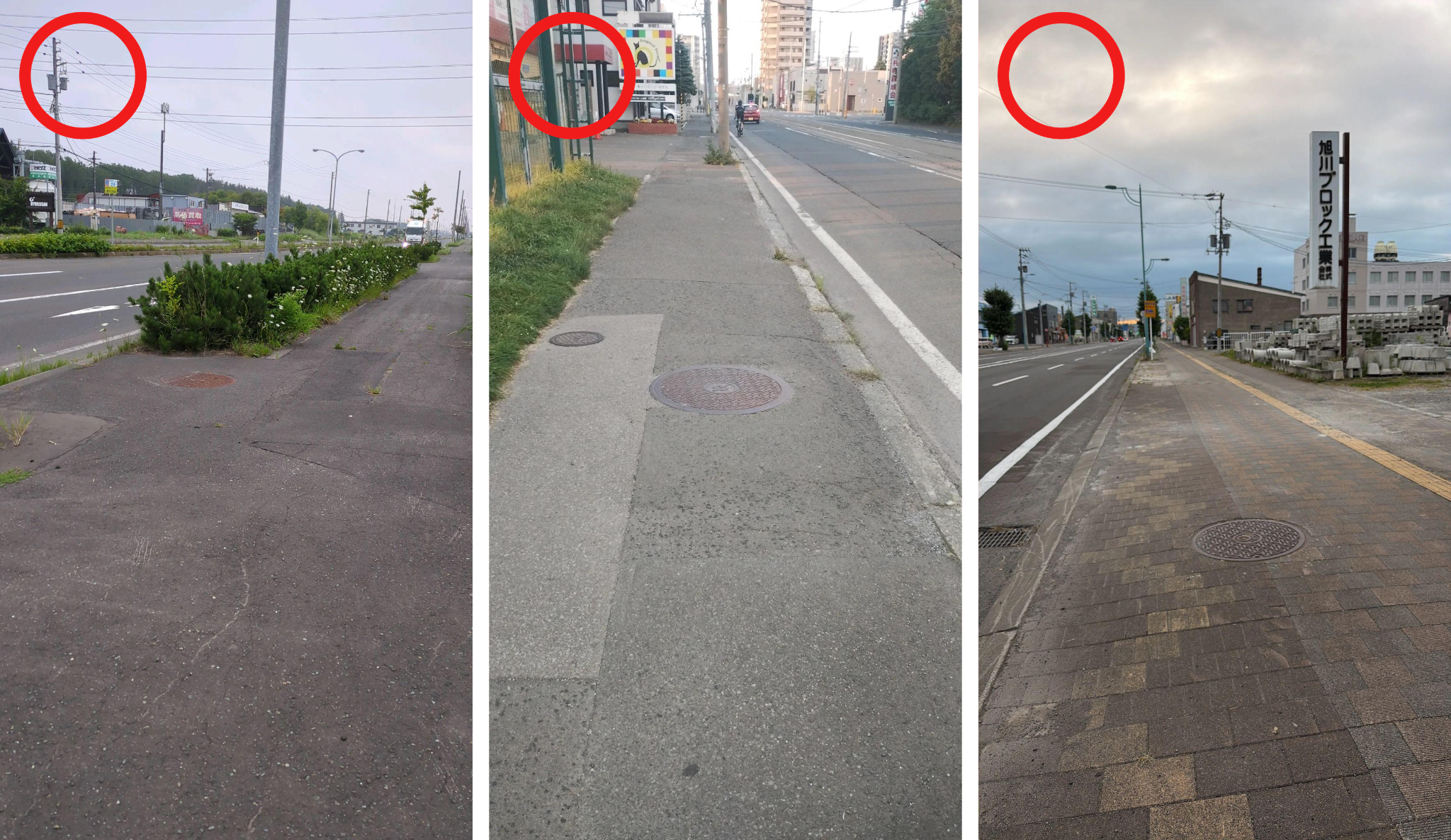
◼️Key Photography Tips
・Shoot from at least 4 meters away from the manhole, without tilting the camera too far down, so that the sky and surrounding buildings are also in the frame.
*For more details on shooting methods, please follow the steps under “How to Check Shooting Methods” in the app.
◼️Surrounding environment (sky and buildings) not visible
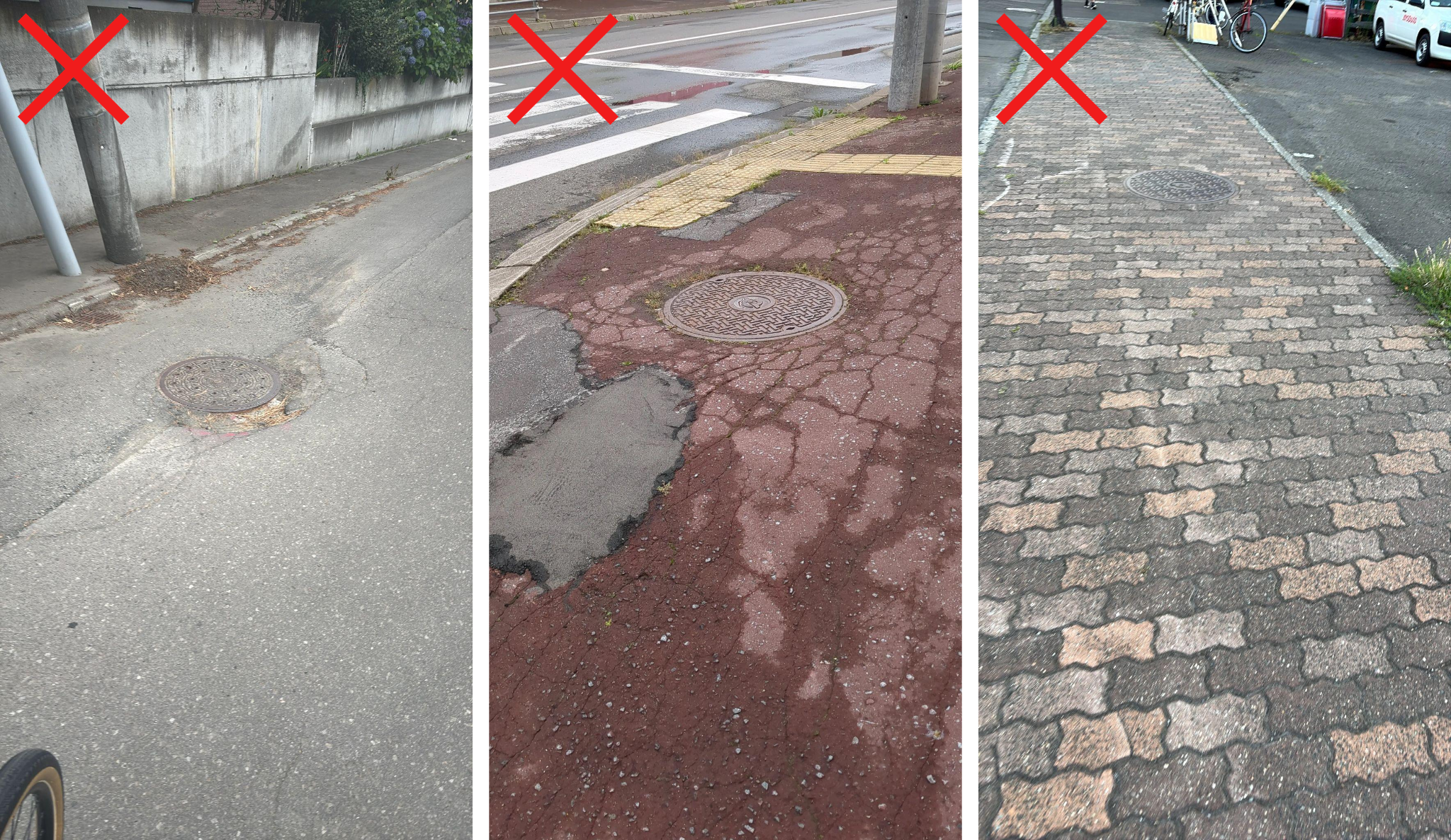
[Handhole “Close-Up” Angle]
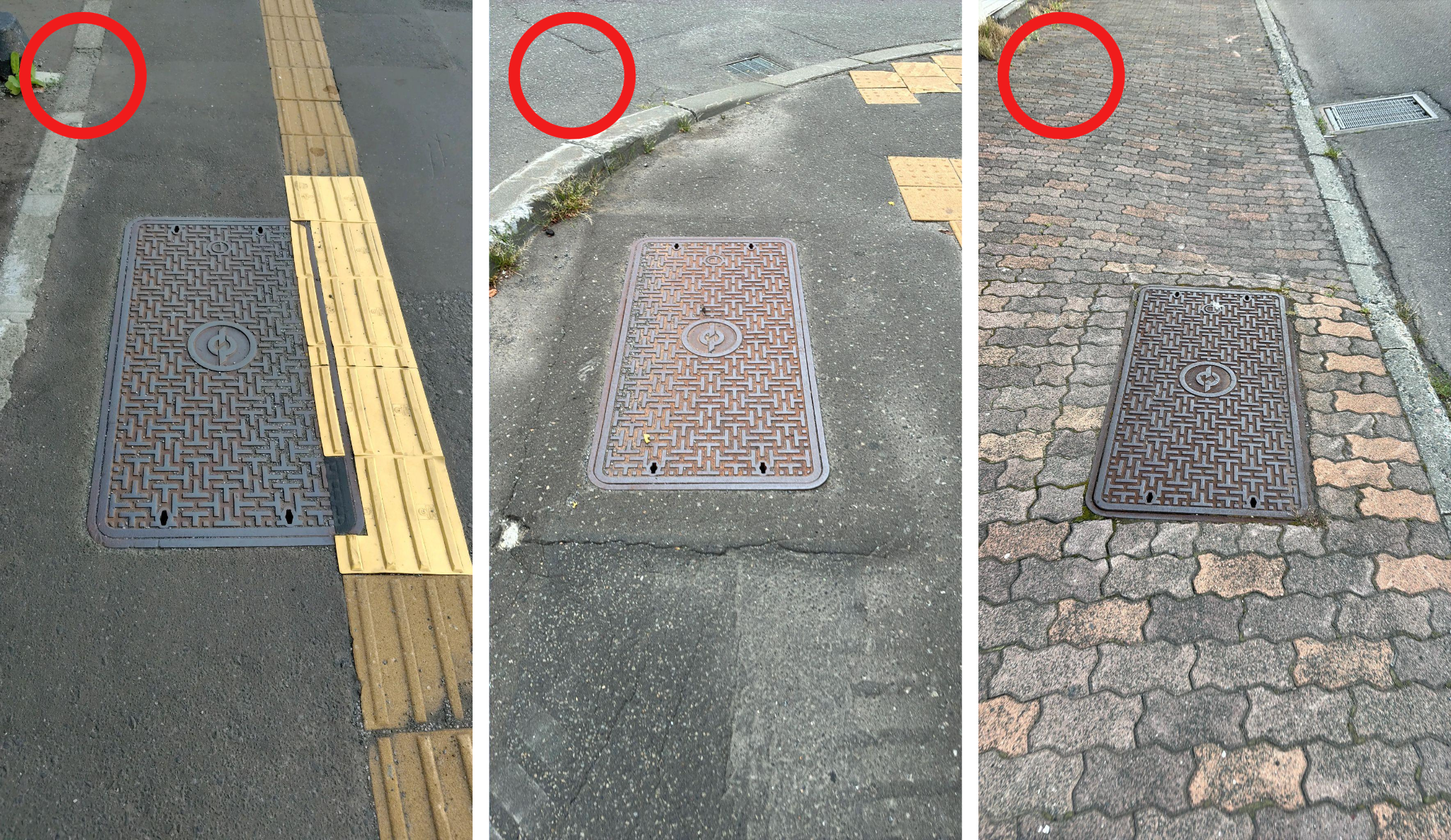
◼️Key Photography Tips
・Shoot from about 2–3 meters away rather than directly above.
・Frame the shot so that the handhole and about 30 cm of its surroundings are visible.
・Shoot so that the edges of the handhole are not at a diagonal to the screen.
*For more details on shooting methods, please follow the steps under “How to Check Shooting Methods” in the app.
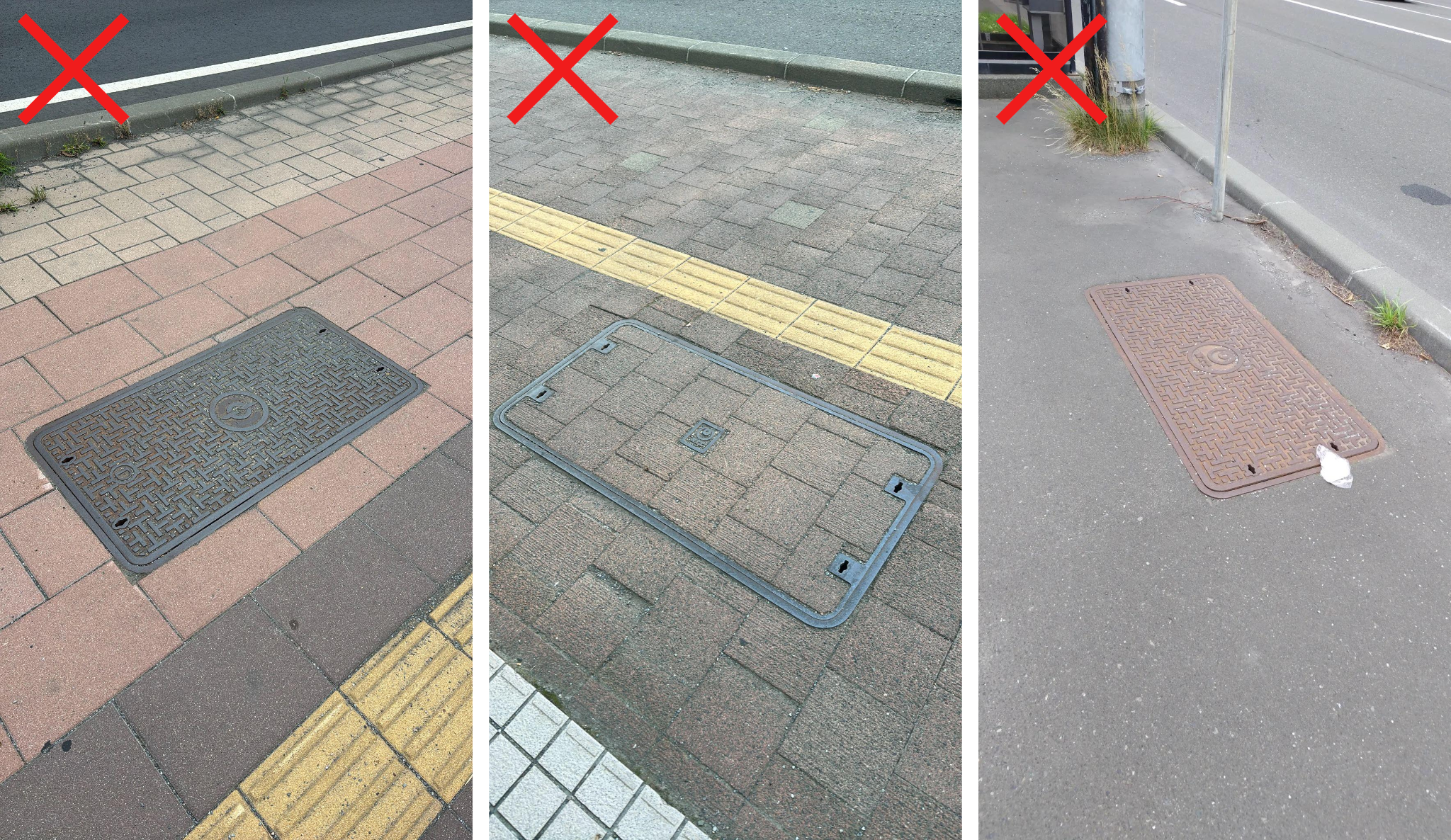
◼️Shooting from almost directly above
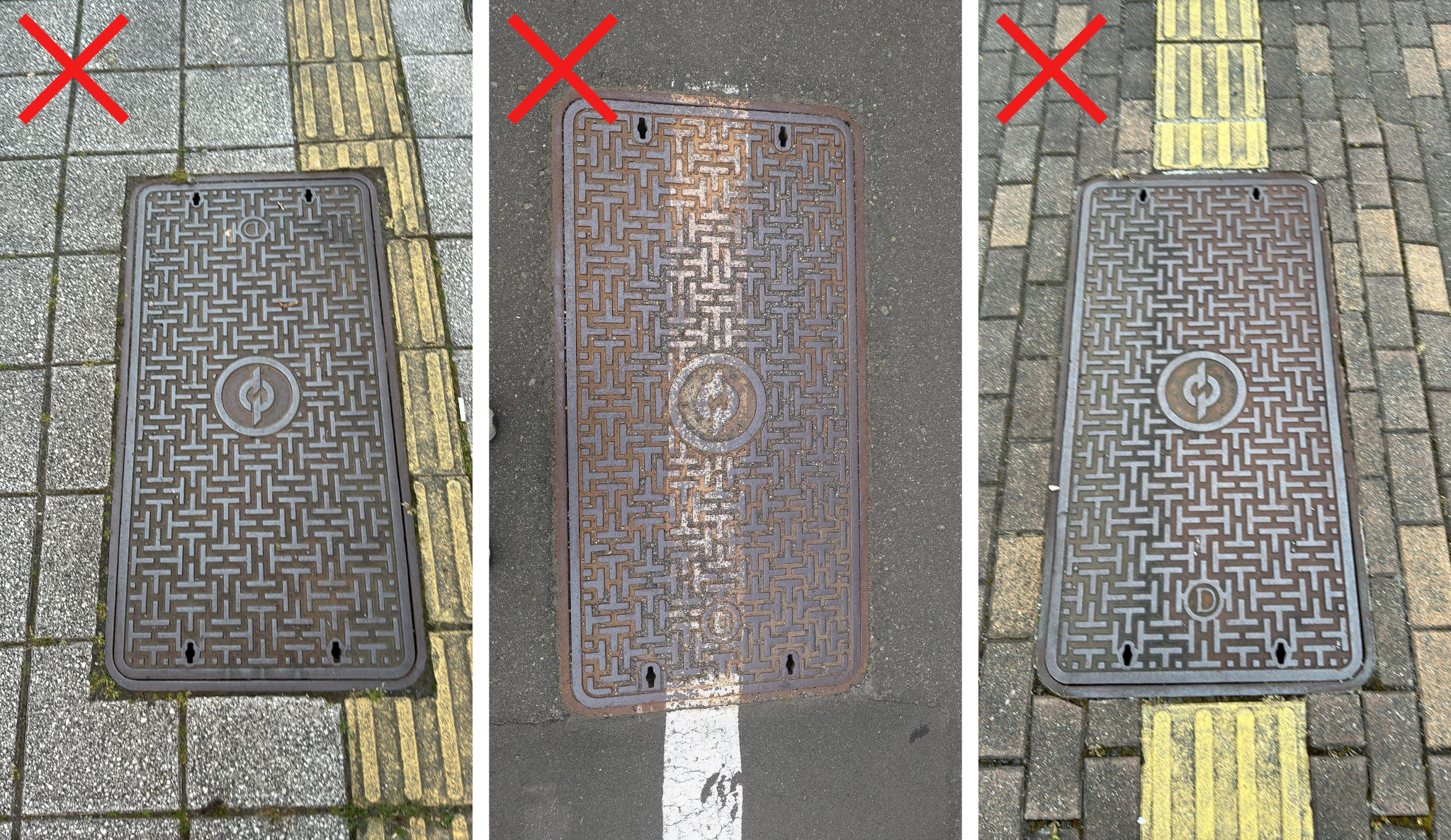
◼️Photographing with the handhole filling the entire screen
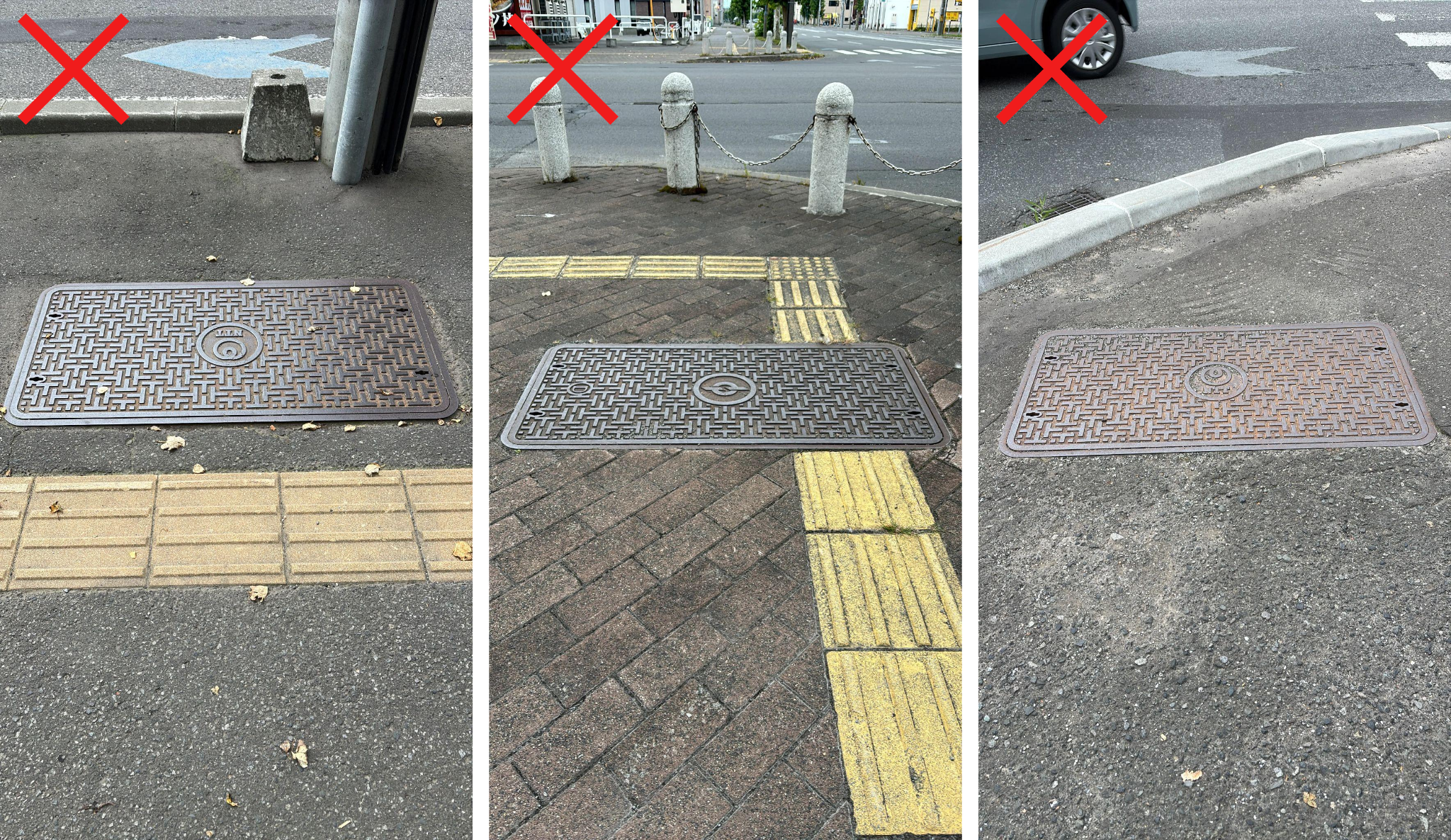
◼️Shooting with the edges of the handhole at a diagonal to the screen
[Handhole “Wide-Angle” Angle]
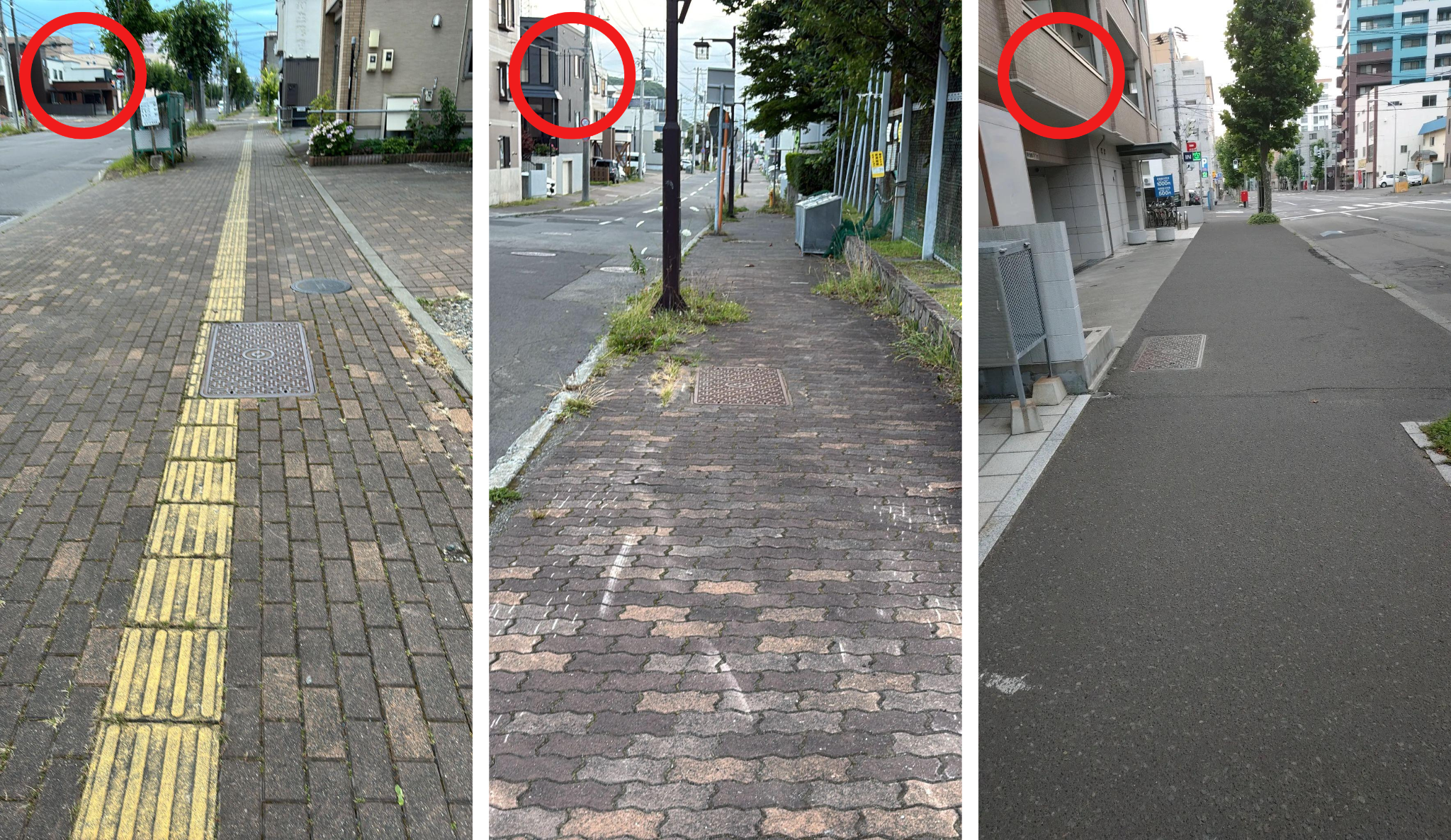
◼️Key Photography Tips
・Shoot from at least 4 meters away from the manhole, without tilting the camera too far down, so that the sky and surrounding buildings are also in the frame.
*For more details on shooting methods, please follow the steps under “How to Check Shooting Methods” in the app.
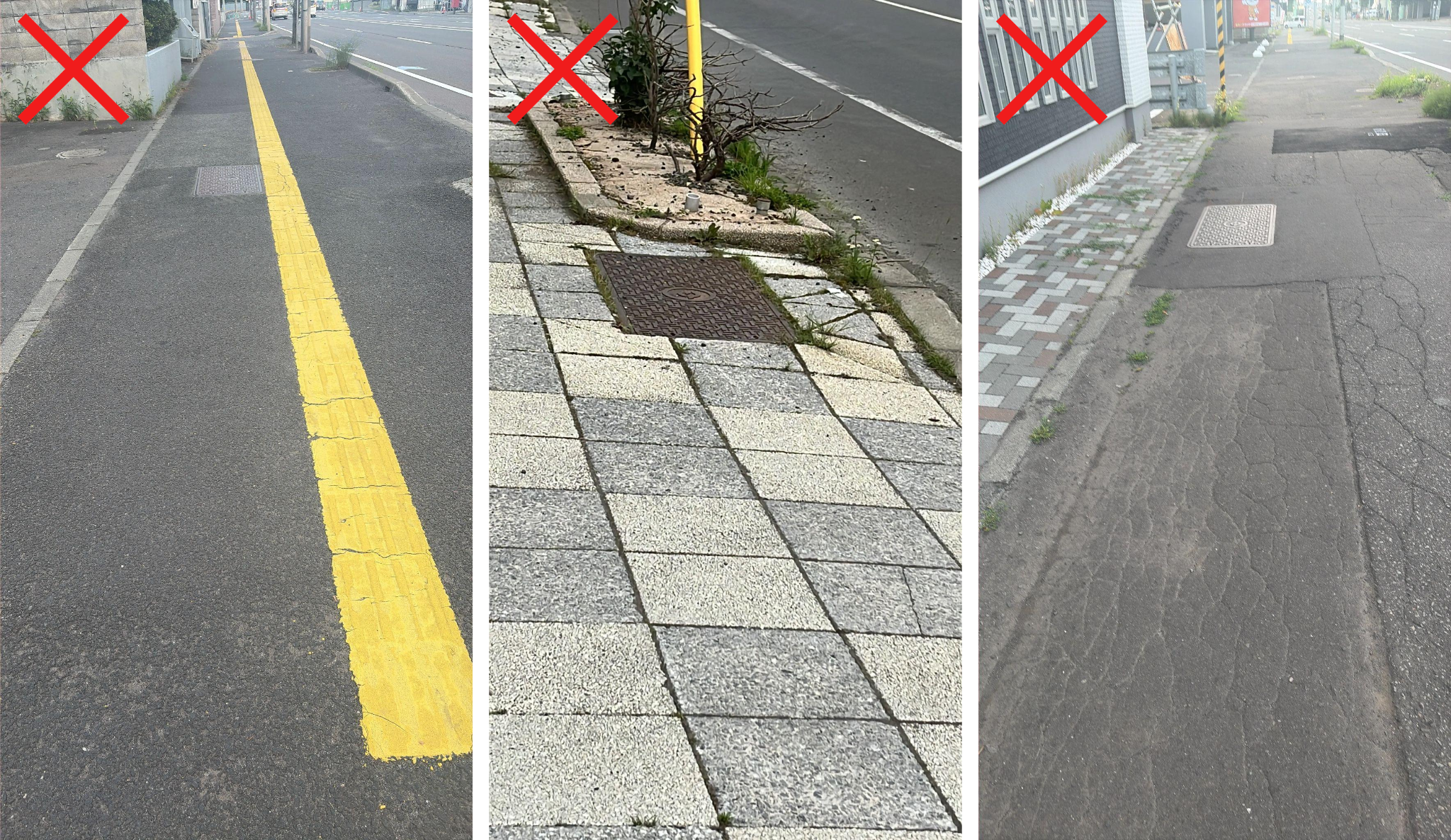
◼️Surrounding environment (sky and buildings) not visible
[How to Check Shooting Methods]
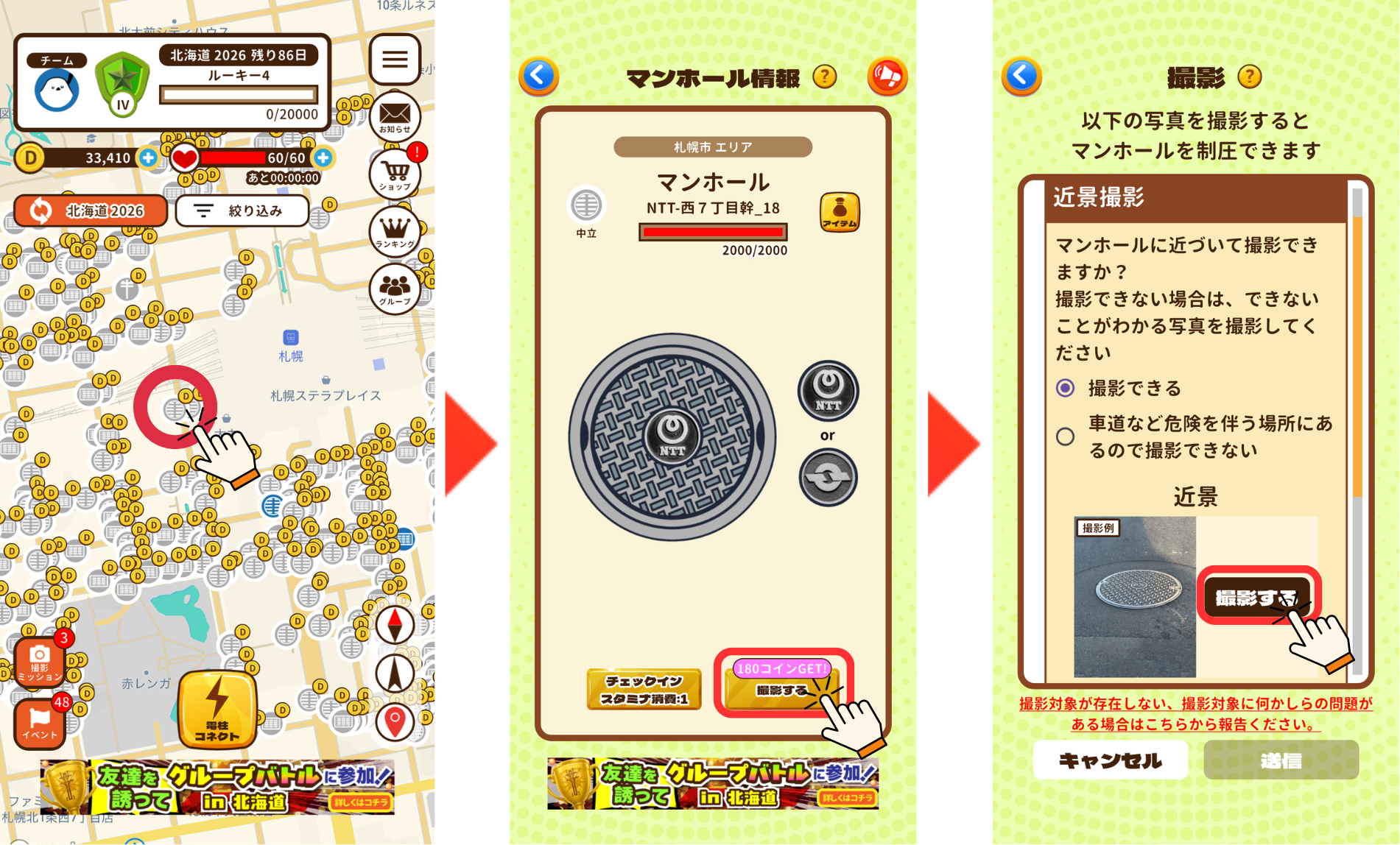
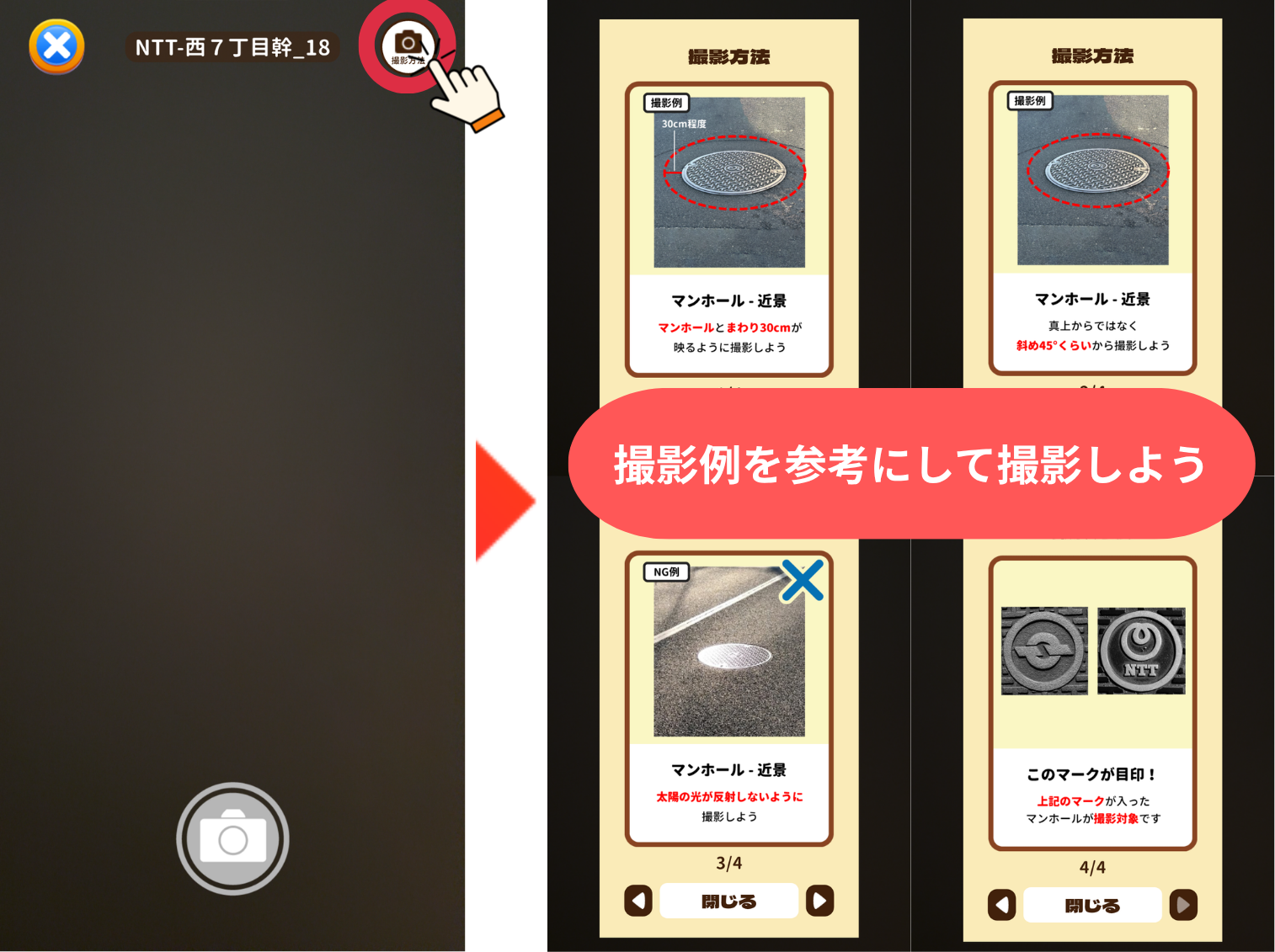
①Tap the icon for the asset you want to photograph
②Tap the “Shoot” button on the asset information screen
③Tap the “Shoot” button for the angle you want to capture
④Tap the “Shooting Method” button in the top right
⑤Use the shooting method and examples as a guide
[Reminder: Please Report When Photography is Difficult]
If conditions around you or the state of the utility pole make it difficult to take photos that meet quality standards, please use the reporting function rather than forcing a shot.
Photos that do not meet review standards cannot be used by the electric or telecommunications company even when players take the time to capture them, so your cooperation is greatly appreciated.
Please check below for how to submit a report.
◼️How to Report
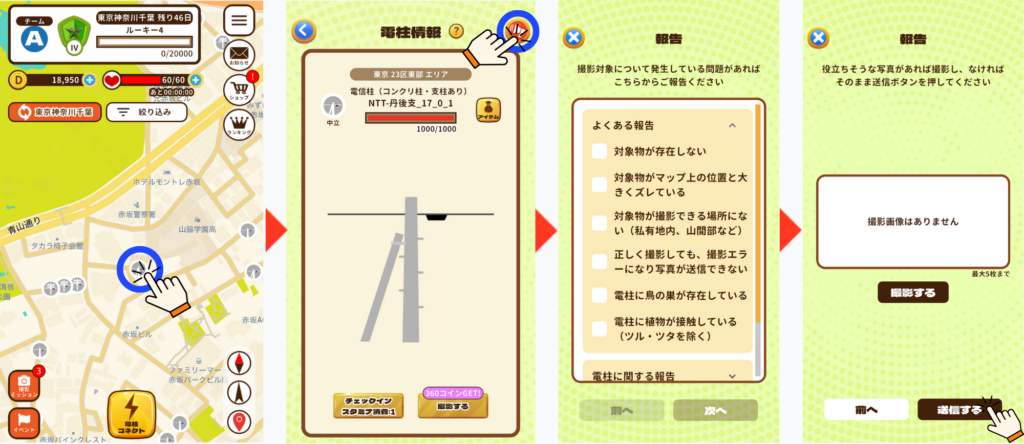
①Tap the icon for the target asset
②Tap the megaphone icon in the top right
③Check the issues occurring with the target asset and tap “Next”
④If you have a useful photo, tap “Shoot,” then tap “Submit”
We appreciate your continued support of PicTrée.
PicTrée Operation Team