Disaster Prevention Championship Discovery Event: How to Participate and Play

This article explains how to participate in and operate the “Disaster Prevention Championship: Prefectural Disaster Prevention Equipment Discovery Event.”
1.How to Participate
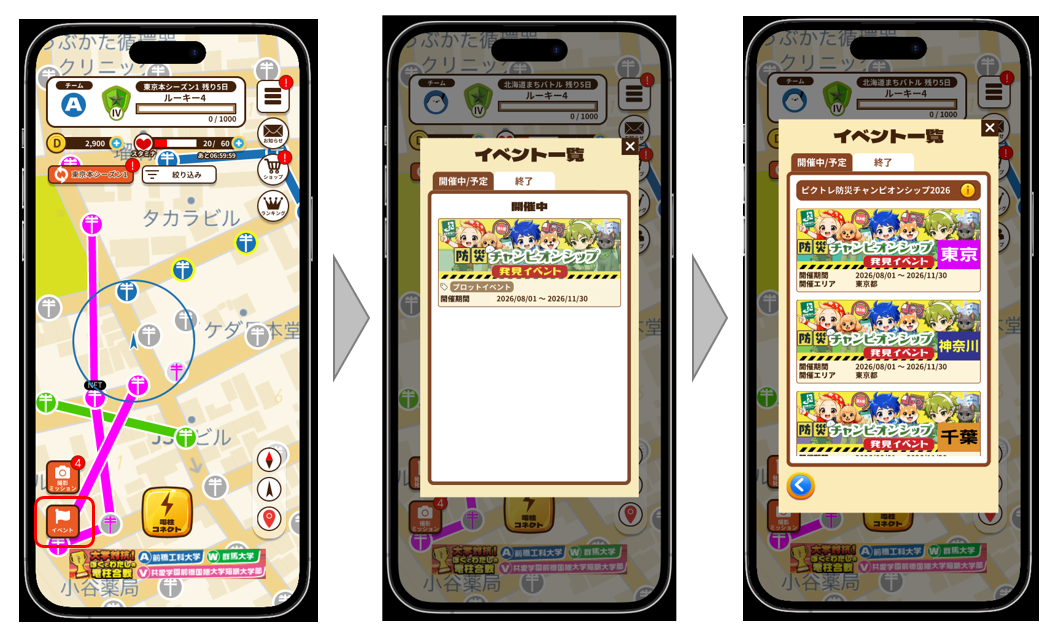
From the PicTrée main screen, tap “Events,” select “Disaster Prevention Championship Discovery Event” from the event list, and choose the regional event you wish to join (available across all 47 prefectures).
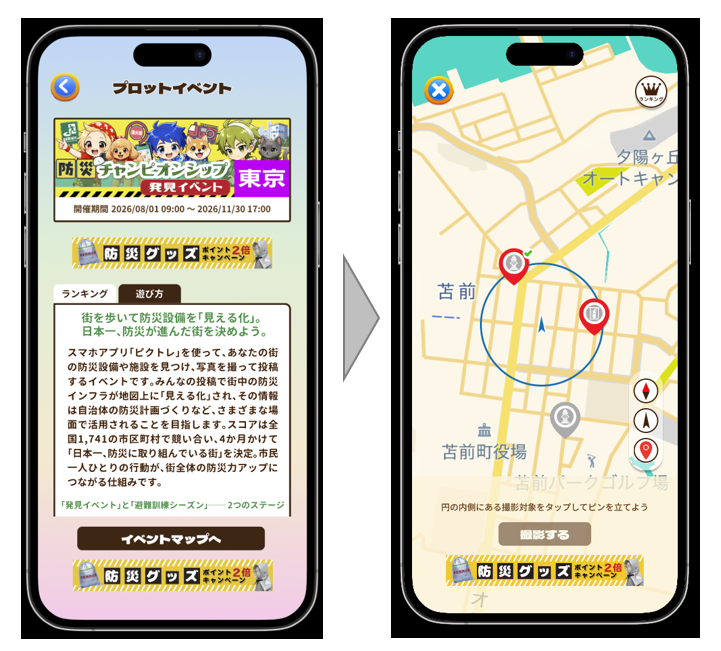
On the event details page, review “How to Play” and tap “Go to Event Map” to navigate to the map screen.
2.How to Operate: Discovery Report
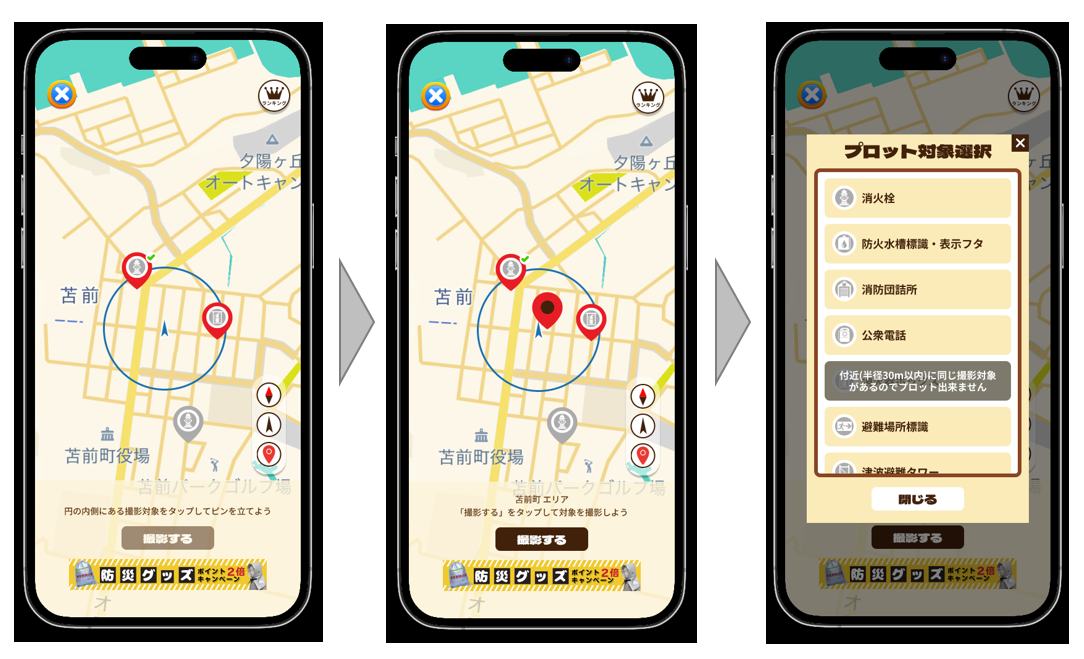
When you find a target facility, tap its location on the map to place a red pin.
After placing the pin, tap “Take Photo” and select the target facility.
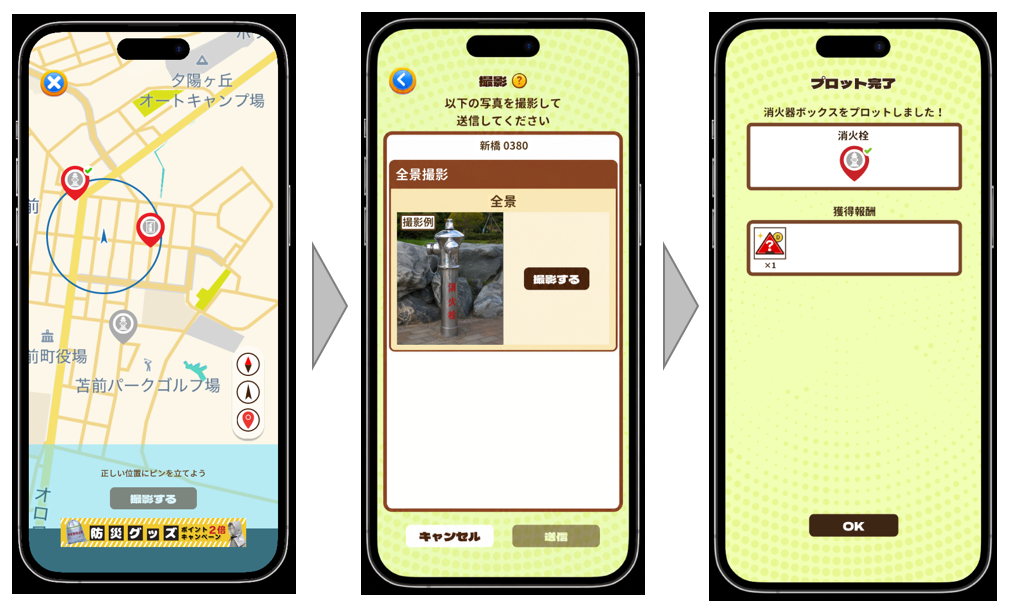
Take a photo of the target facility following the “Photo Example,” then tap “Submit” to complete the discovery report.
You will receive a “Lottery Item” as a reward.
※ Lottery Items are drawn once per month, and the results can be checked in the “Mailbox” within PicTrée.
3.How to Operate: Additional Photo
You can take an “Additional Photo” for a target that another player has already submitted a discovery report for on the map. By taking an additional photo, you can raise the “Reliability Score” (a score indicating the accuracy of the information) of that discovery report, and also earn Lottery Items.
To take an additional photo, select a pin placed by another player on the map (one without a green checkmark), then tap “Take Additional Photo.”
If you would like to correct the pin’s location on the map, tap “Correct”; if no correction is needed, tap “Photo Only.”
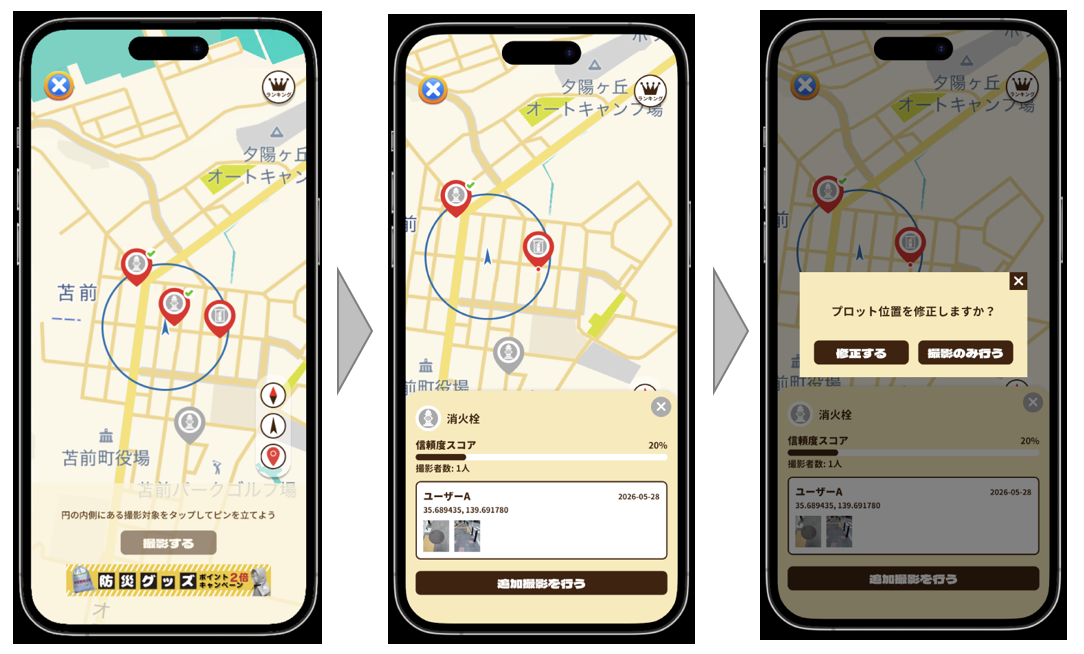
If you selected “Correct,” place the pin at the correct location on the map and take a photo via “Take Photo.” If you selected “Photo Only,” you will be taken to the photo screen — take the photo following the “Photo Example.”