Crow Nest Discovery Report Guide
You can earn a “Crow Nest Discovery Reward” by finding a utility pole with a crow nest and submitting a discovery report.
◼️Crow Nest Discovery Reward
You will receive 3,600 reward coins (equivalent to ¥300) for each “crow nest” you photograph.
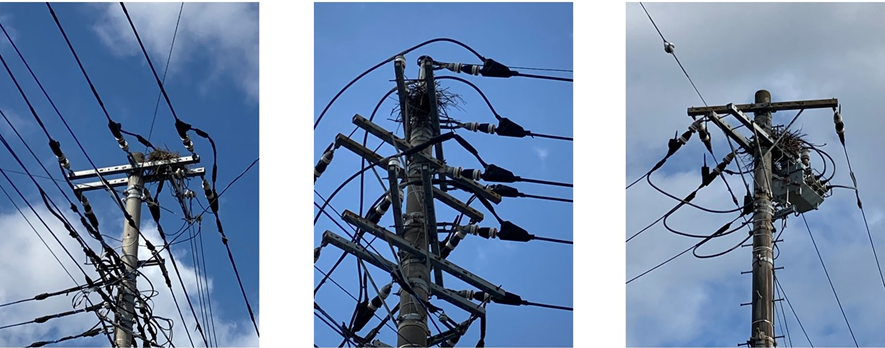
<Crow Nest Example>
※Notes
・Discovery rewards are granted only when the Operations Team’s check results in “Review OK.”
・The review for discovery reports takes about 10 days.
◼️How to Report a Crow Nest
If you find a crow nest, please follow the steps below and submit a discovery report from the report button in the top-right of the screen.
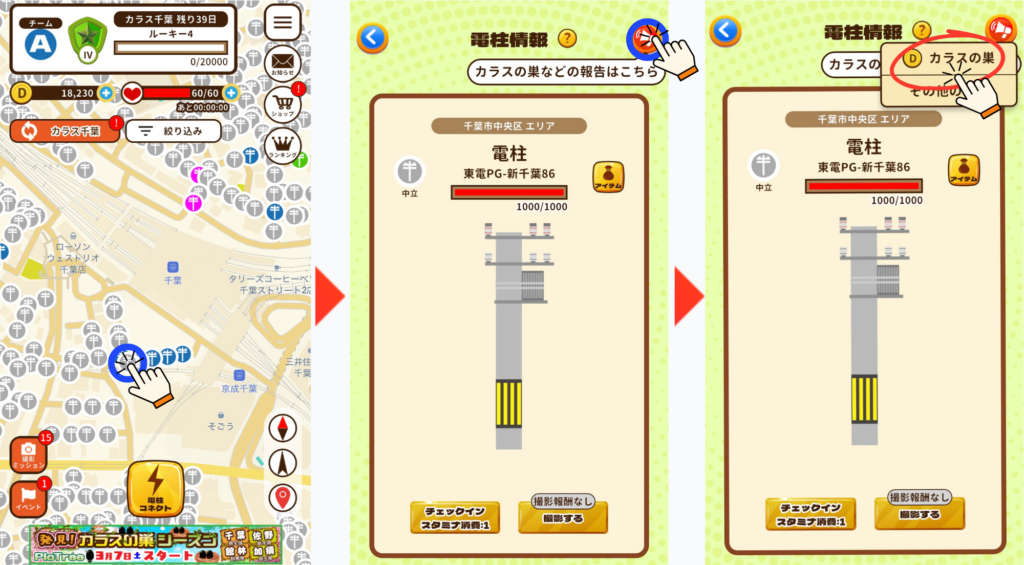
① Tap the icon for the target asset.
② Tap the megaphone icon in the top-right.
③ Tap the “Crow Nest” button.
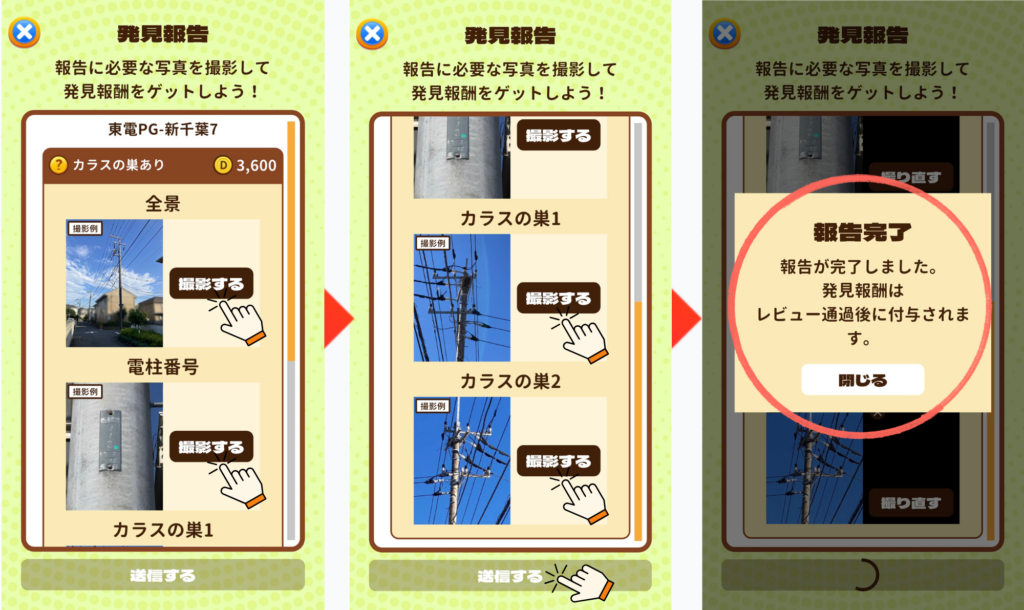
④ Take all required photos from the specified angles and tap the “Submit” button.
⑤ Report complete! (The discovery reward will be granted after your report passes review.)
※Notes
・If you take photos using the regular “Take Photo” button instead of submitting via the “Report” button, the photos will not be eligible for the discovery reward, even if a crow nest is captured.
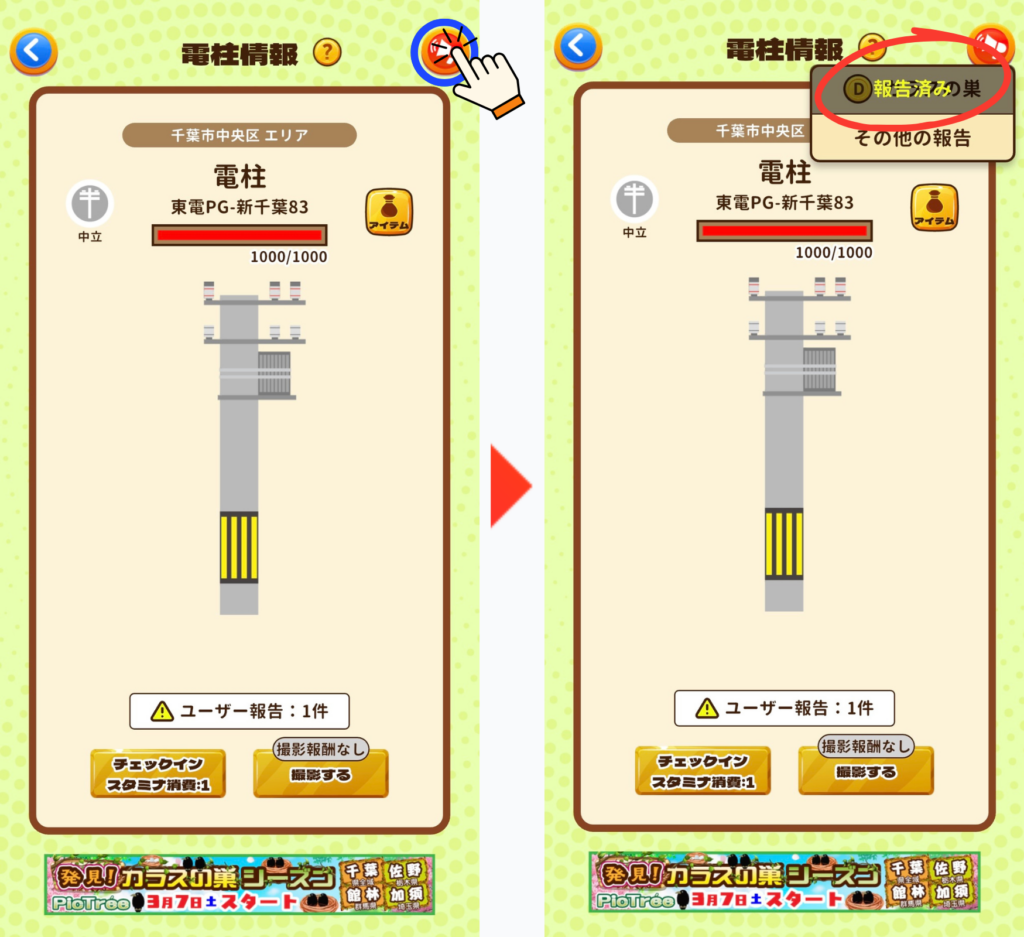
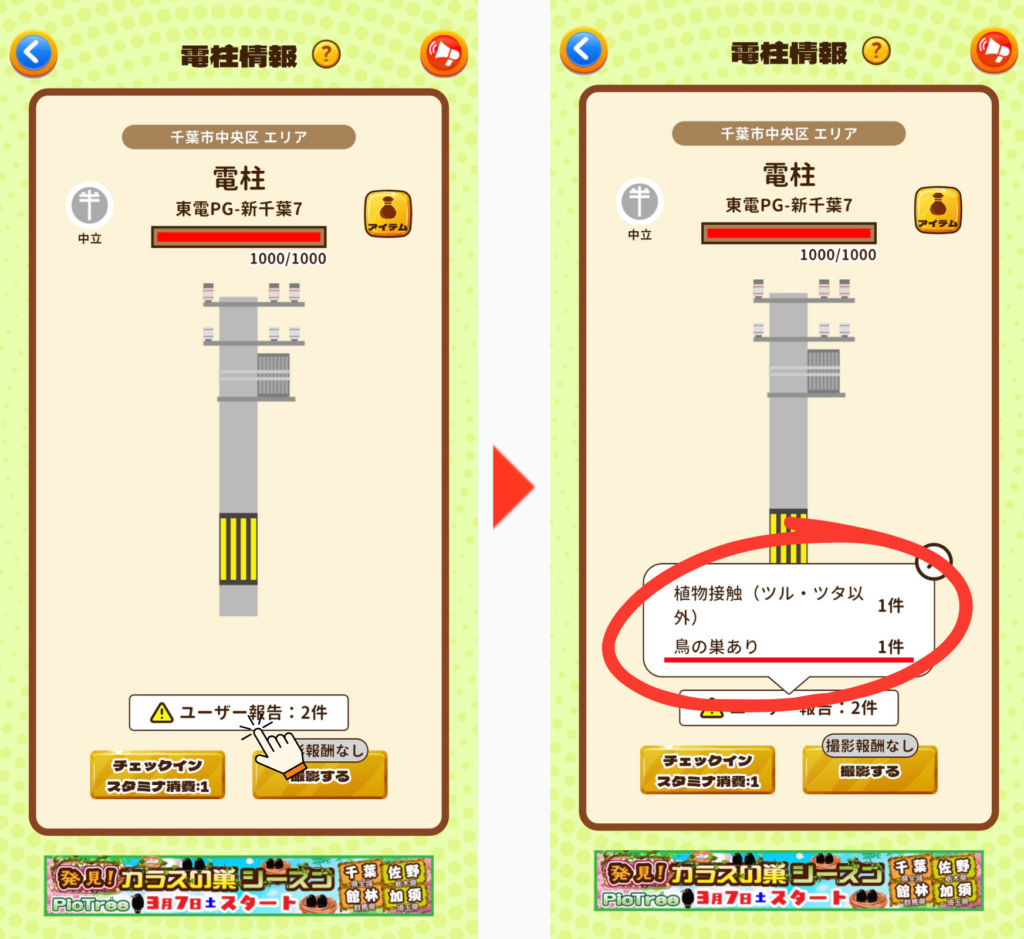
・Utility poles that already have a crow nest discovery report are not eligible for rewards. You can check the reporting status in either of the following ways.
① Tap the report button in the top-right of the utility pole information screen. If it shows “Reported,” it has already been reported.
② Tap “User Reports” at the bottom of the utility pole information screen. If it shows “Bird Nest: ●,” it has already been reported.
◼️Required Photo Angles
You must take 4 photos: “Overall View,” “Pole Number,” “Crow Nest 1,” and “Crow Nest 2.”
・Overall View: Please take the photo so the entire utility pole fills the frame.
※ Keep a distance of about 5 to 10 meters from the pole.
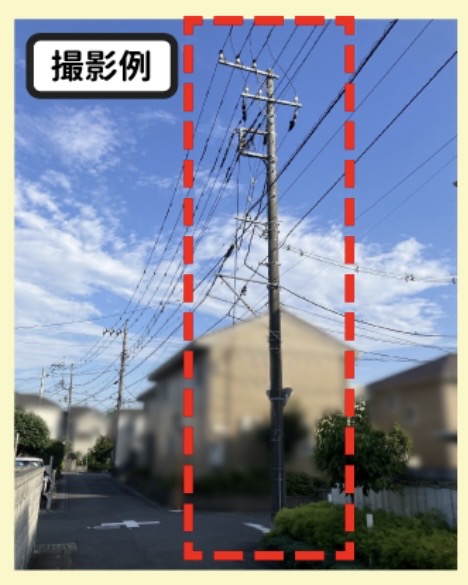
・Pole Number: Please take the photo so the pole number fills the frame.
※ If there are two number plates, make sure both are visible.
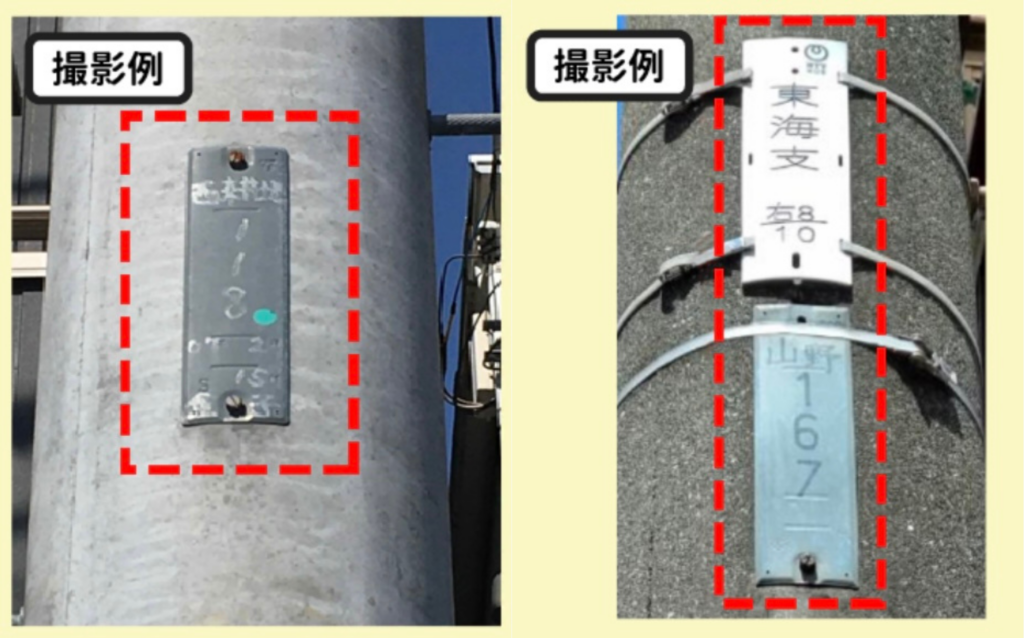
・Crow Nest 1 & 2: Please take photos so both the crow nest and the equipment at the top of the utility pole are visible.
※ For the second photo, take it from a different direction than the first.
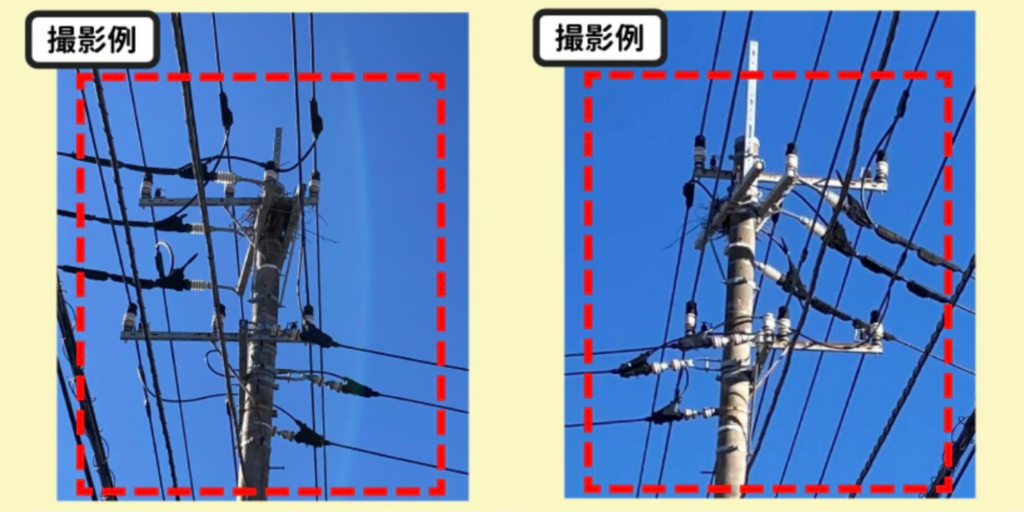
◼️How to Check Your Report Review Status
You can check the review status of your discovery report by following the steps below.
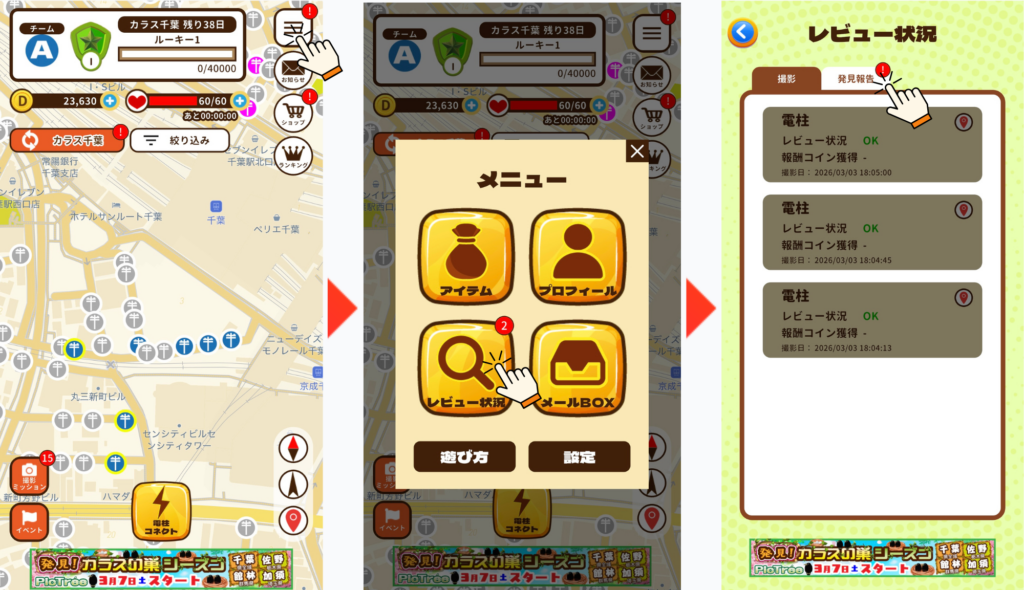
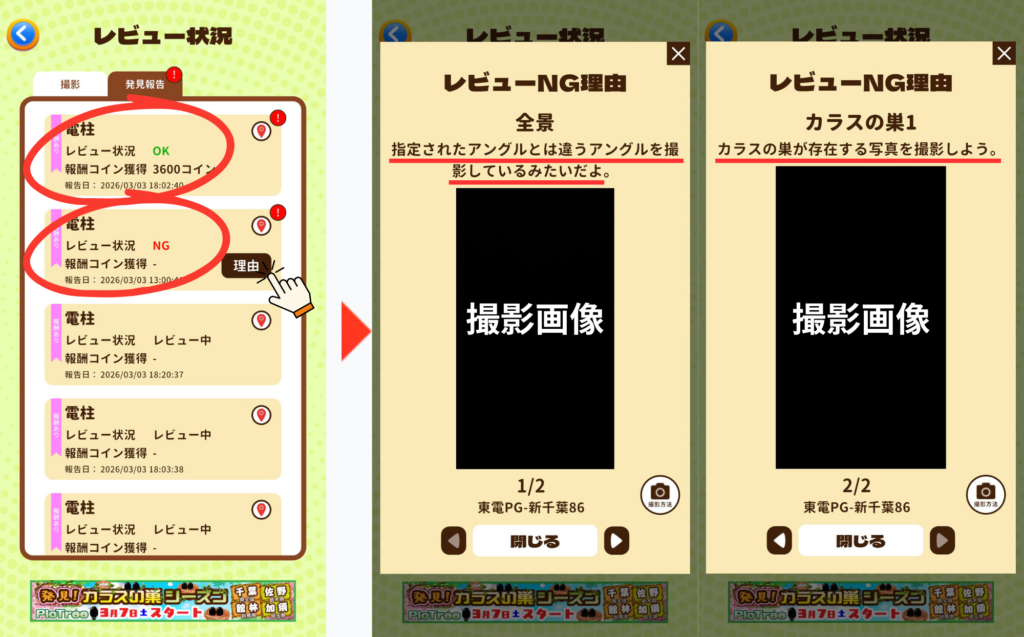
① Tap the menu bar in the top-right of the map screen.
② Tap the “Review Status” button.
③ Tap the “Discovery Report” tab.
④ Check the review status for each utility pole.
┣ If Review OK: The number of reward coins you earned will be displayed.
┗ If Review NG: Tap the “Reason” button to view the reason for rejection.