Group Battle in Hokkaido
■Event Overview
The “Group Battle in Hokkaido” is a group-based ranking event in which teams of up to five people compete by earning Group Points during the season. The points are accumulated based on the total Rank Points earned by all group members.
| Item | Details |
|---|---|
| Event Period | Saturday, July 12, 2025, 9:00 AM – Sunday, October 12, 2025, 5:00 PM |
| How to Participate | From the main screen of PicTrée, tap “Events” and select “Group Battle in Hokkaido” to join. *Please refer to the second half of this article for more details. |
| Group Creation & Join Period | Saturday, June 7, 2025, 12:00 AM – Tuesday, September 30, 2025, 11:59 PM *You can also leave a group during this period. |
| Rules | Group rankings are determined by the total Rank Points earned by all members during the event period. |
| Group Ranking Rewards | Rewards will be distributed at the end of the event based on the group rankings. There are two types of “Group Ranking Rewards”: Shared Reward: This reward is divided among all group members equally based on the total amount. Individual Reward: A reward that each group member receives individually. Please check the details of the rewards under the “Rewards” tab. |
■How to Create or Join a Group
There are two ways to participate:
① Create a new group yourself
② Join an existing group
① Creating a New Group
STEP1
Launch the app and tap the “Events” button at the bottom left of the map screen.
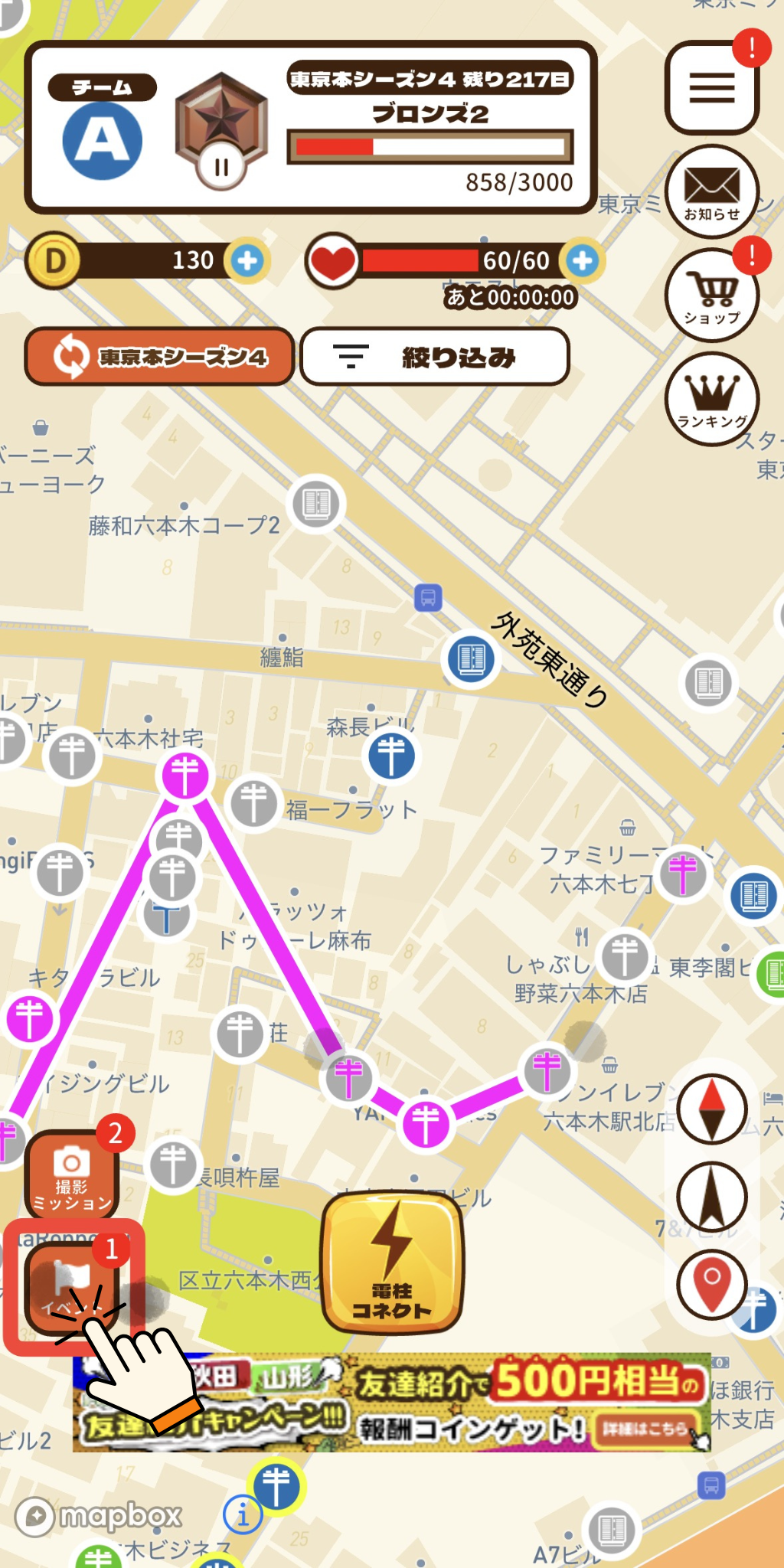
STEP2
In the “Event List”, tap “Group Battle in Hokkaido”.
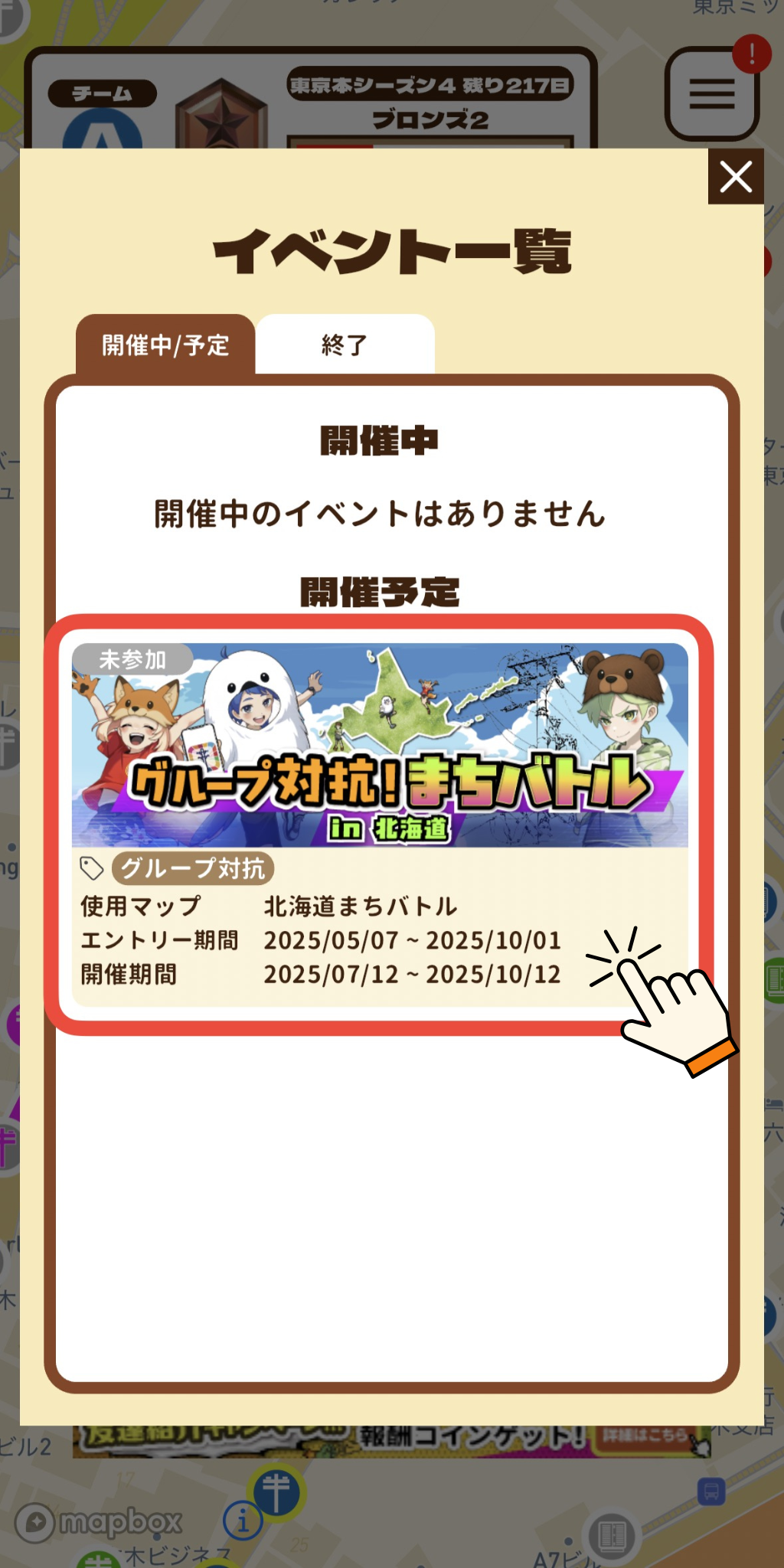
STEP3
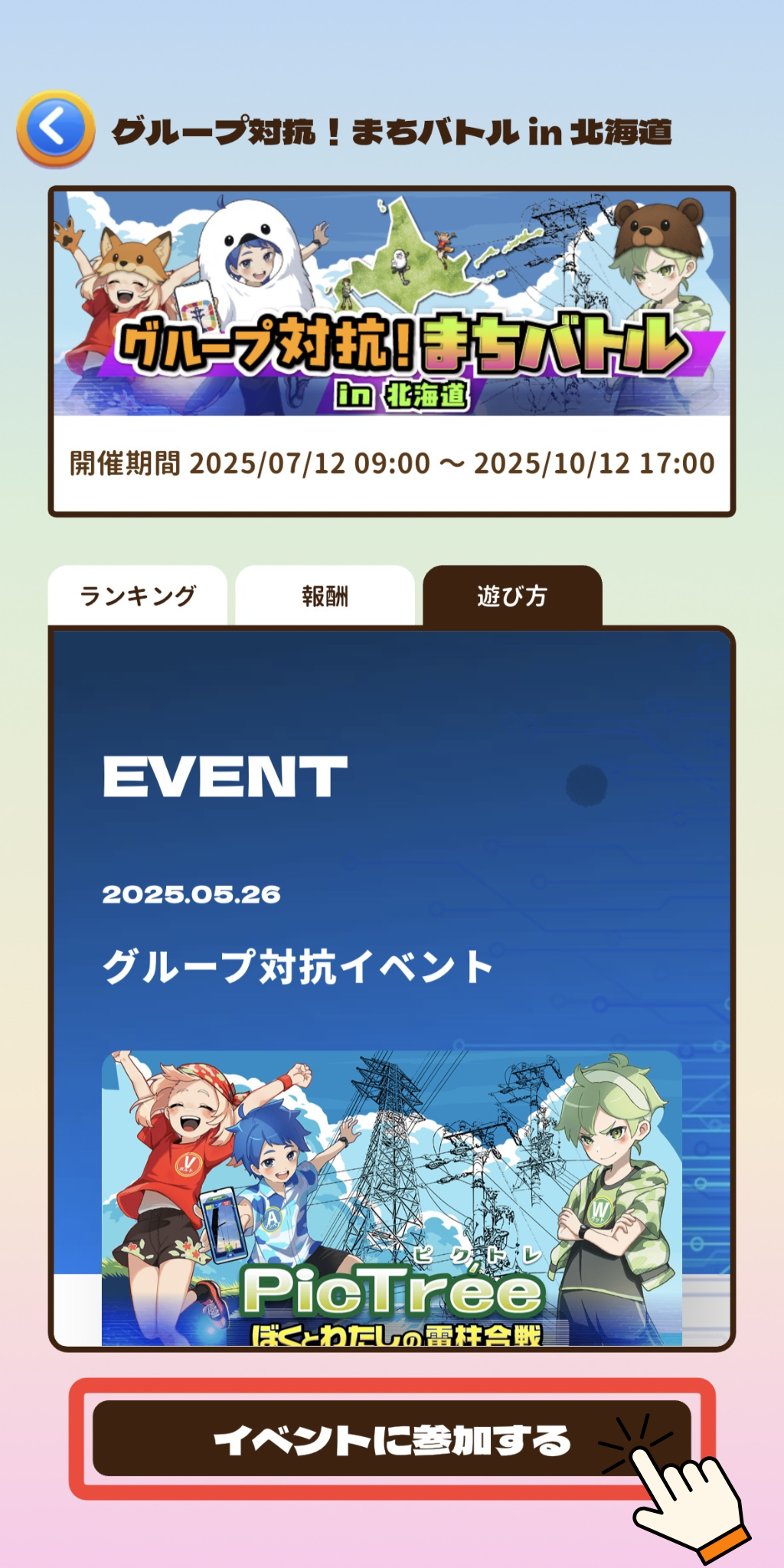
Tap the “Join Event” button at the bottom of the screen.
STEP4
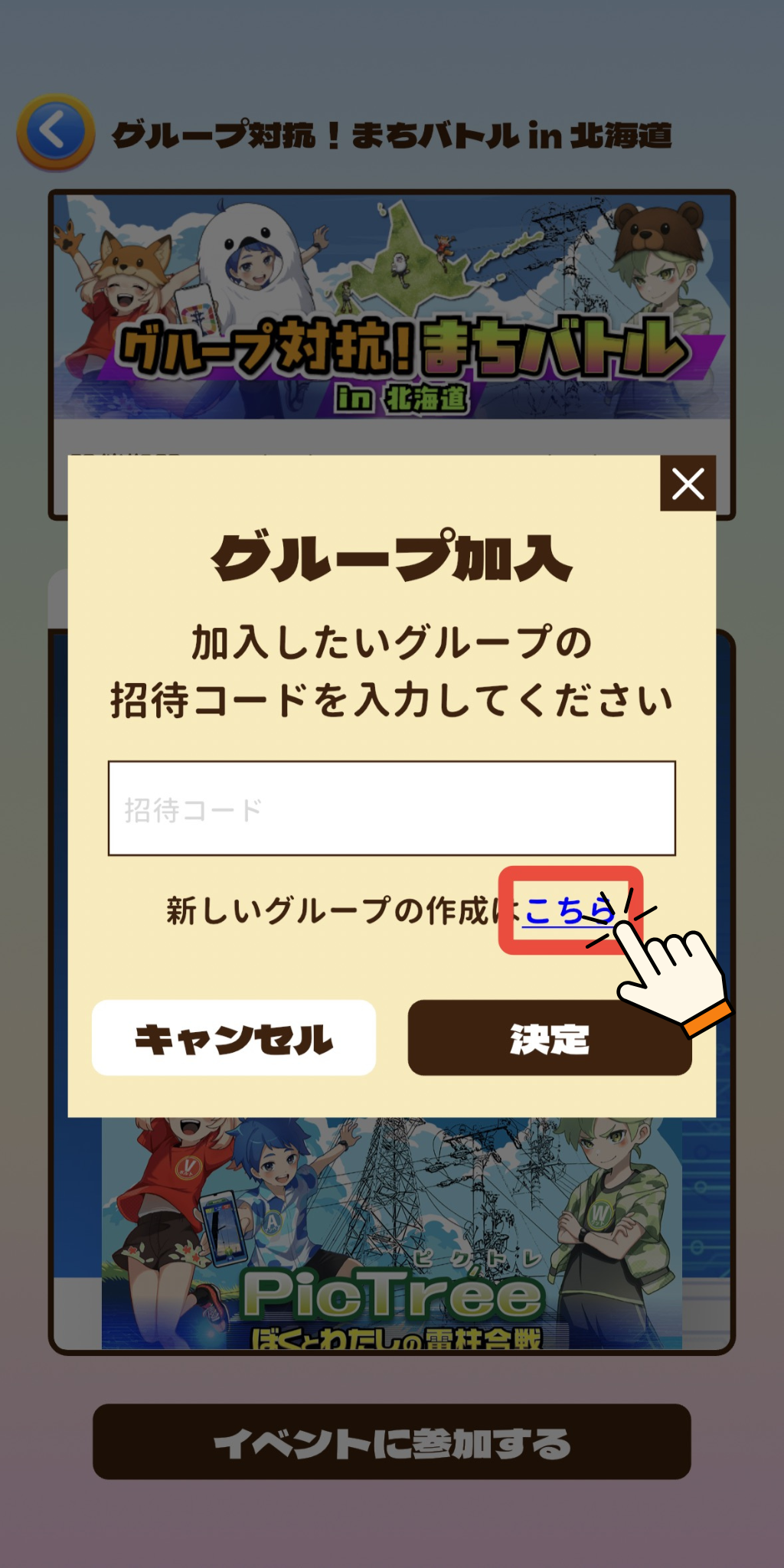
Tap “To create a new group, click here”.
STEP5
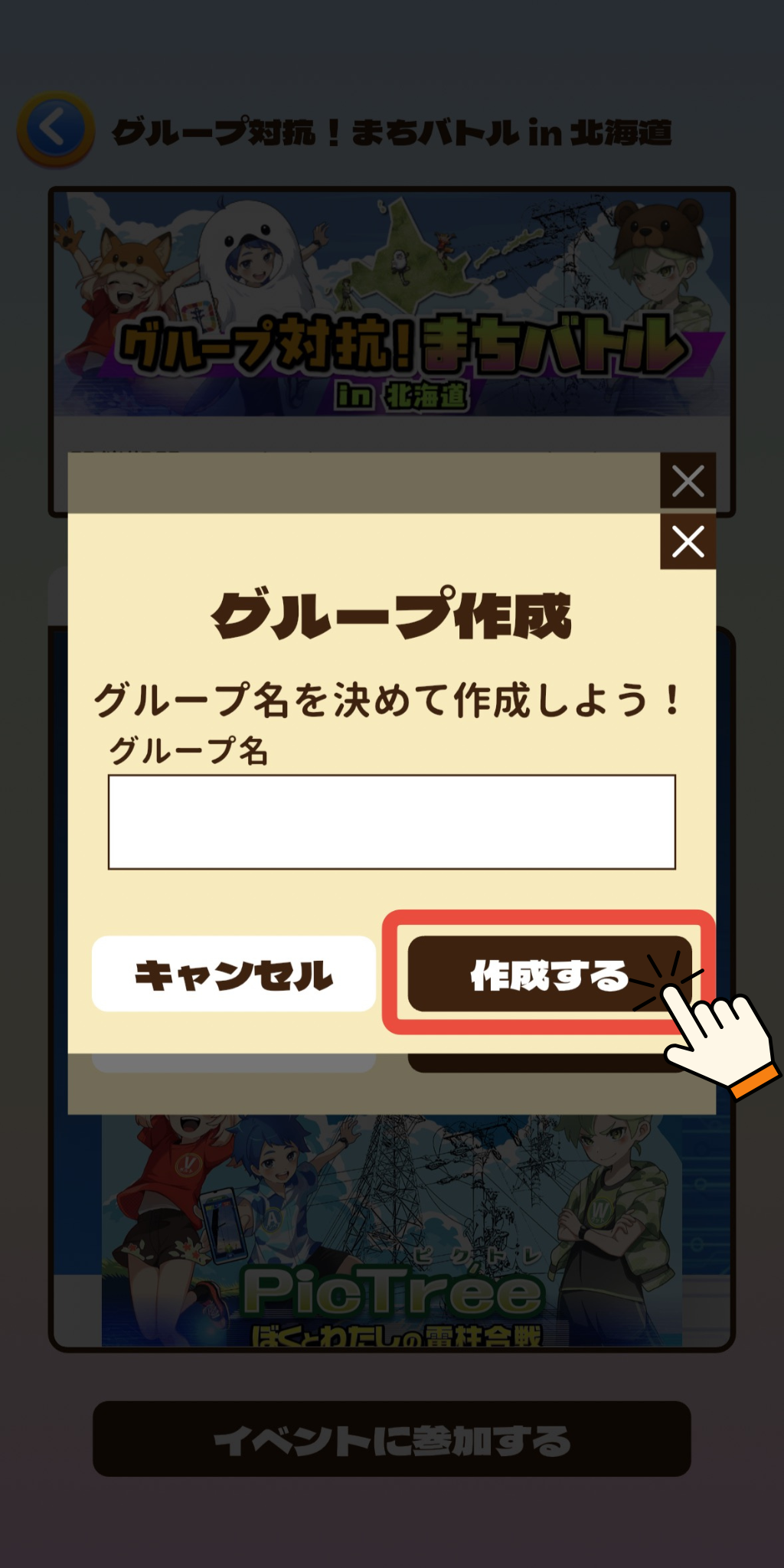
Enter a group name and tap “Create”.
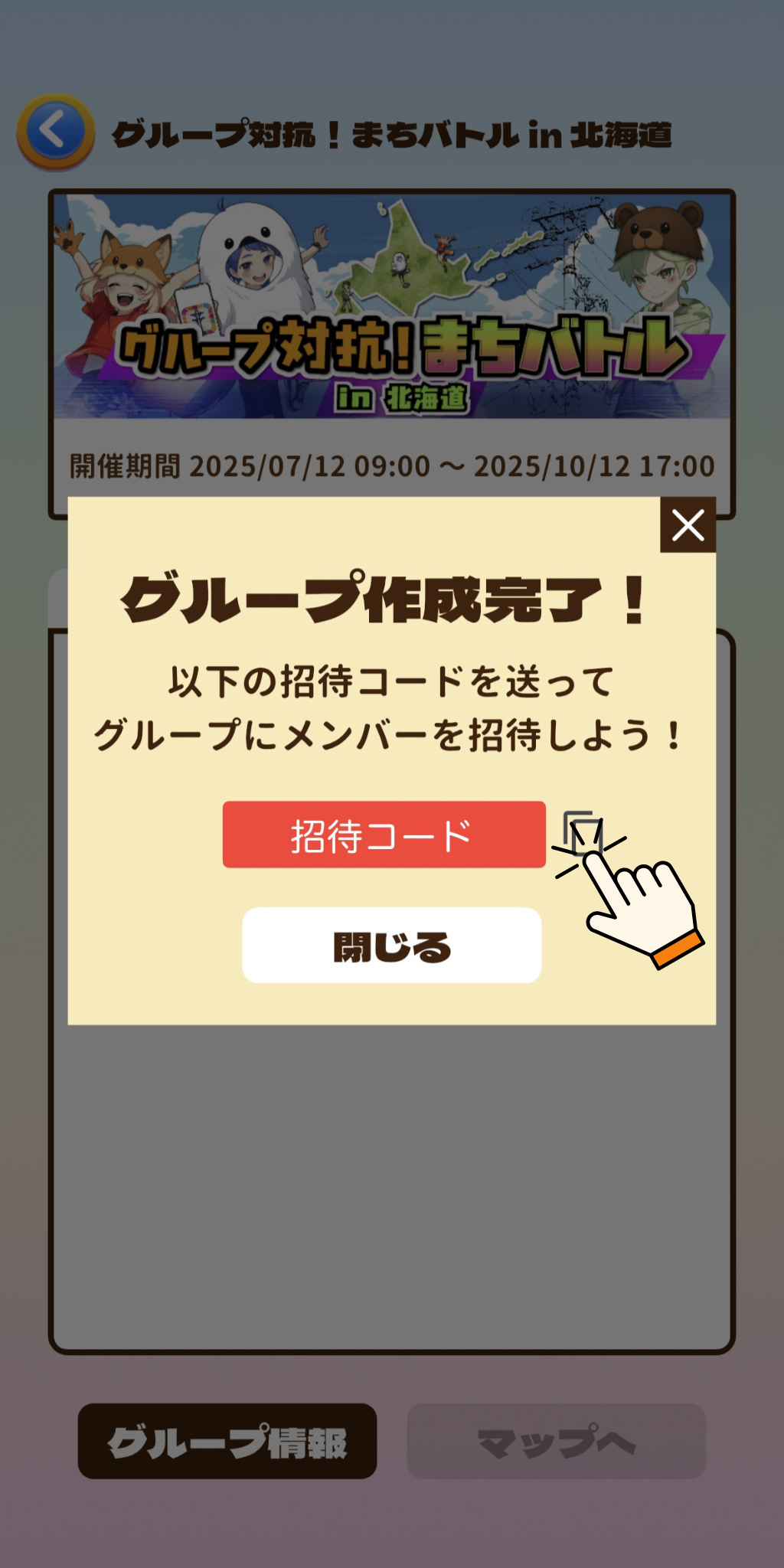
Your group is now created.
Once a group is created, a group Referral Code will be issued. Share this code with friends you want to invite.
② Joining an Existing Group
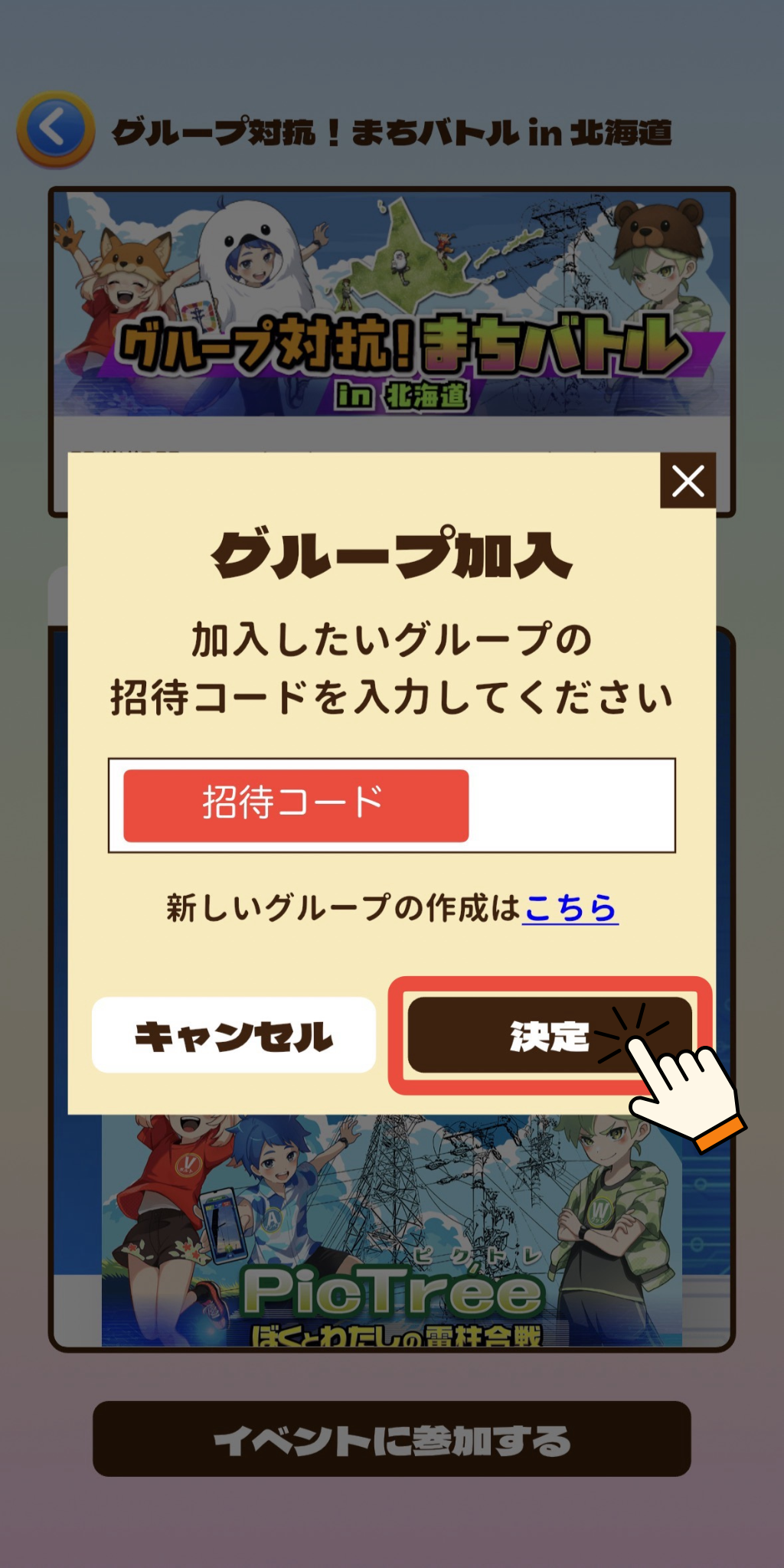
Follow the same steps as above from STEP1 to 3.
STEP4
Enter the Referral Code for the group you want to join and tap “Confirm”.
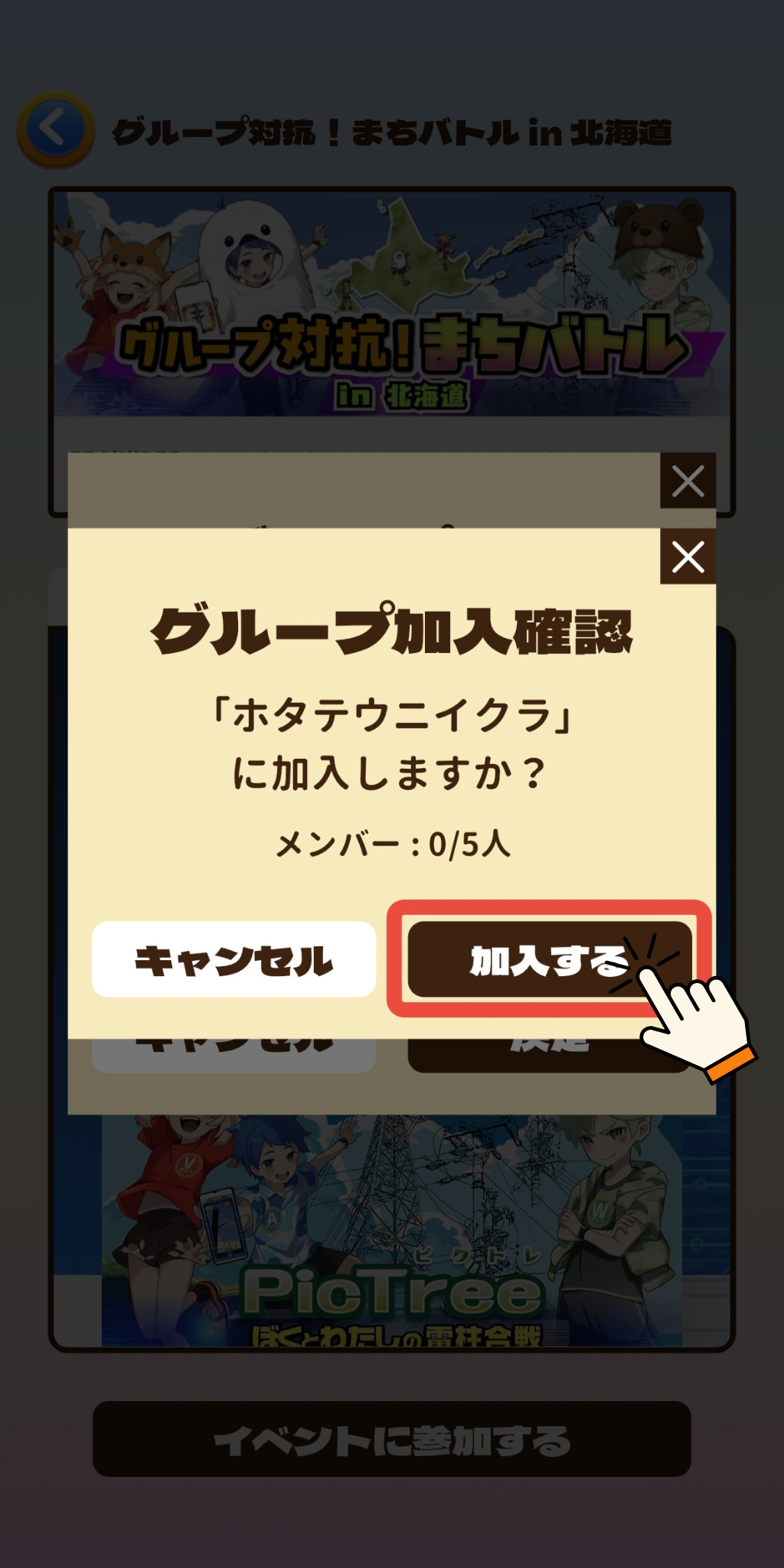
STEP5
On the confirmation screen, tap “Participate”.
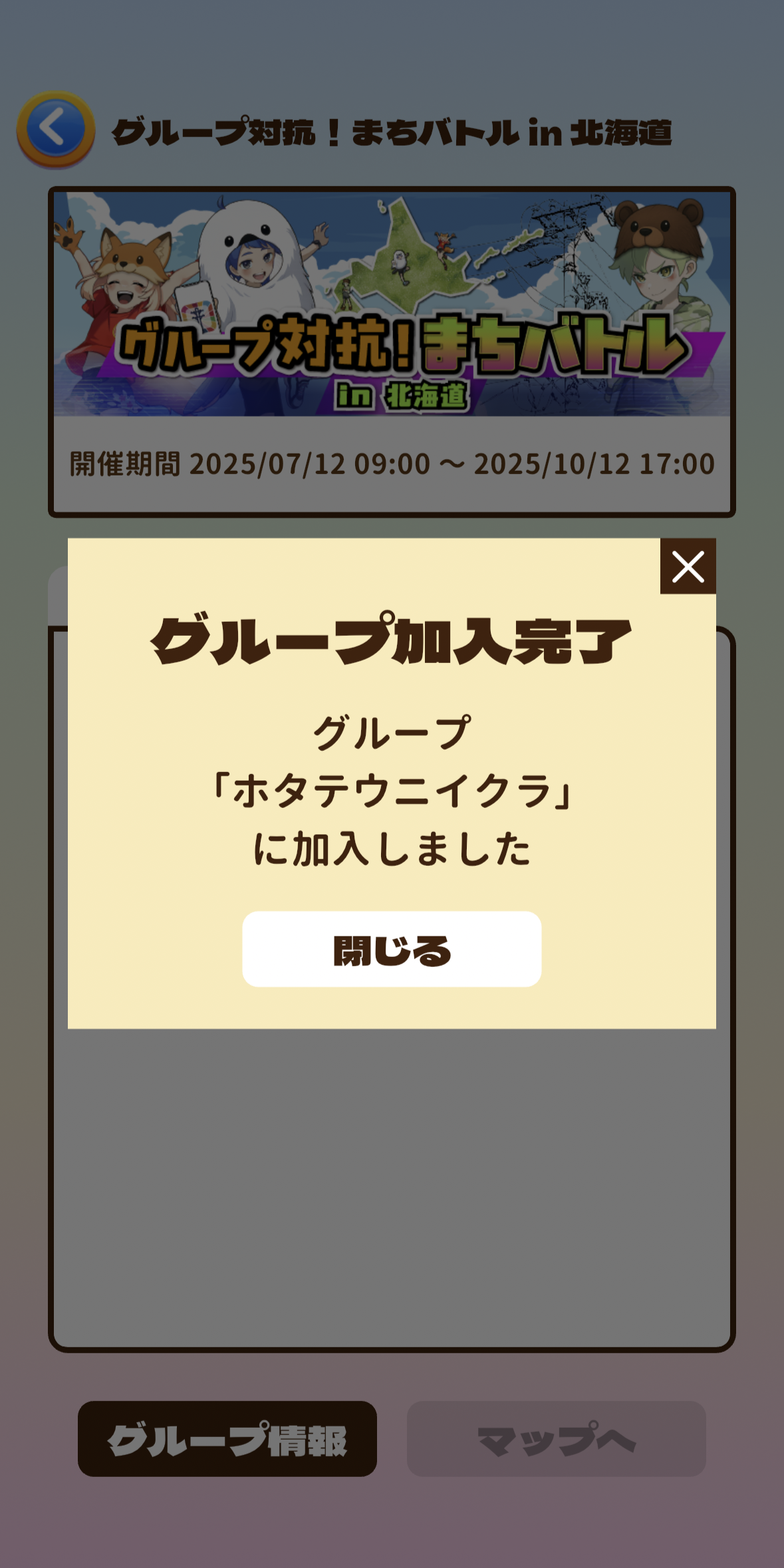
You have now joined the group.
■Group Info
ou can view details about your current group from the Group Info screen:
・Ranking Info: See your team’s current standing.
・Activity: View recent activities of group members.
・Members: Check the list of current group members.
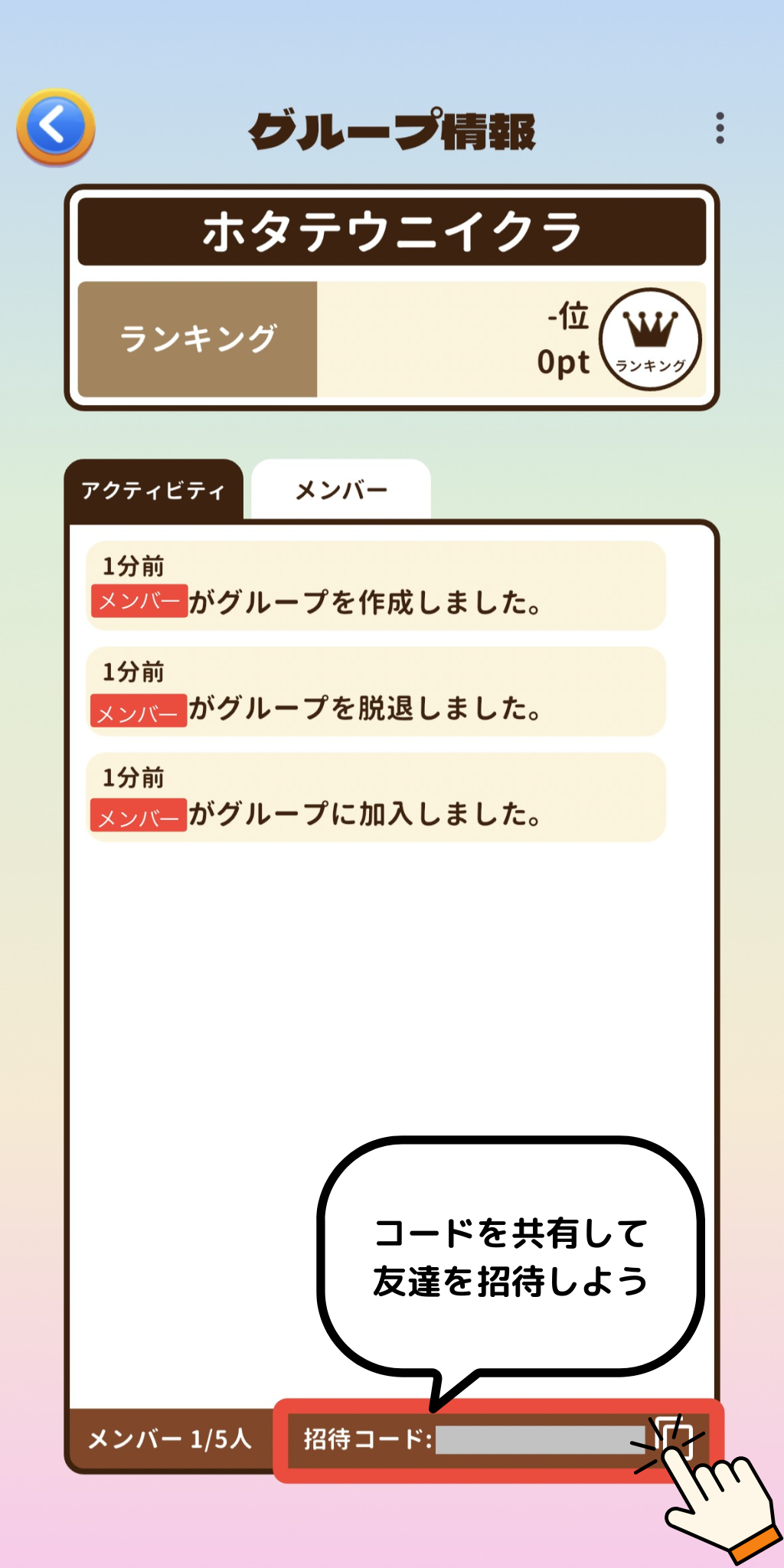
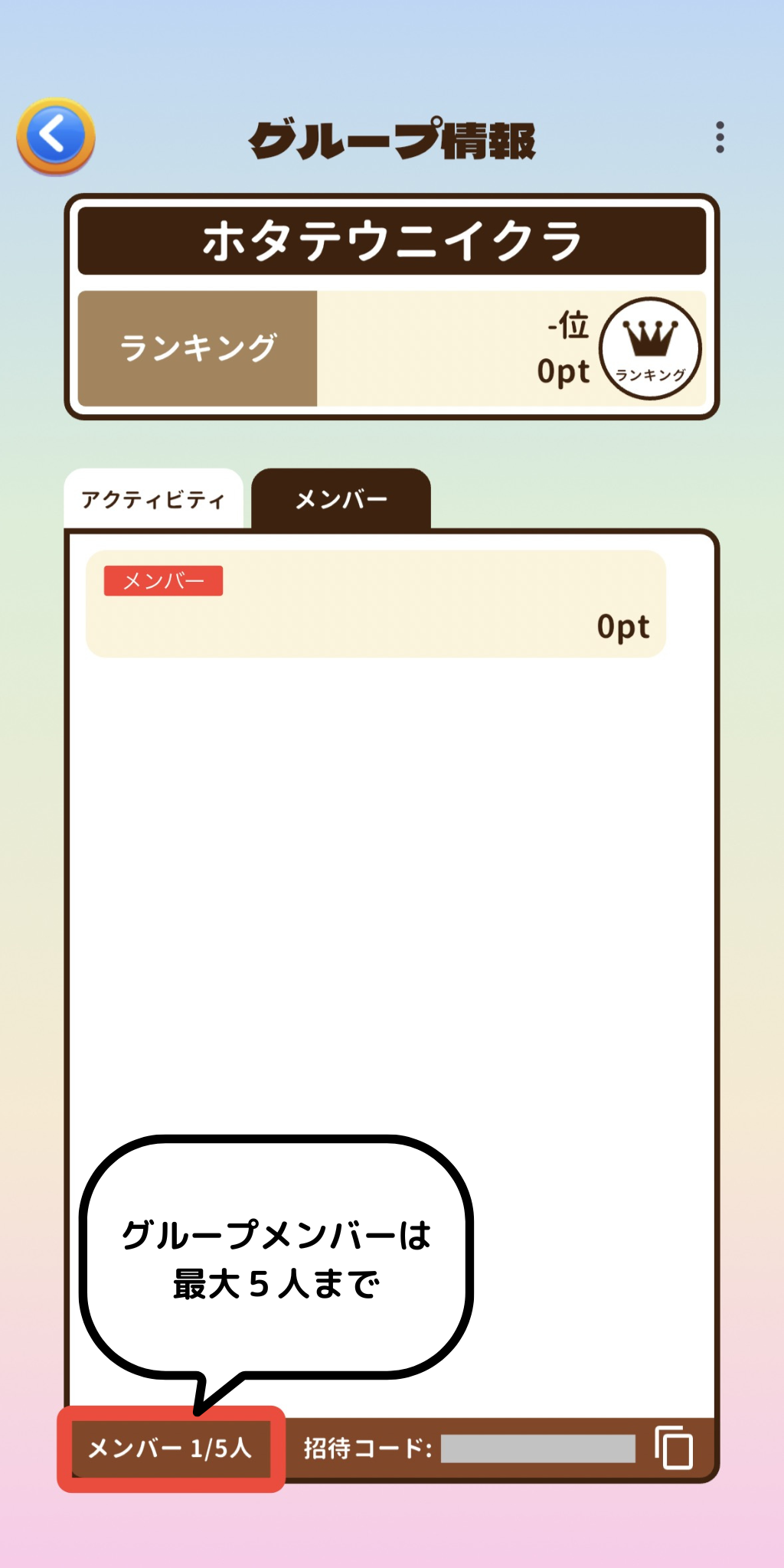
To invite friends to your group, share the Referral Code shown in the lower-right corner of the screen.
■ Notes
・Each group can have up to 5 members.
・A user may only belong to one group at a time.
・During the entry period, you may create, join, or leave groups multiple times.