EVENT
2025.04.21

How to Report Vines

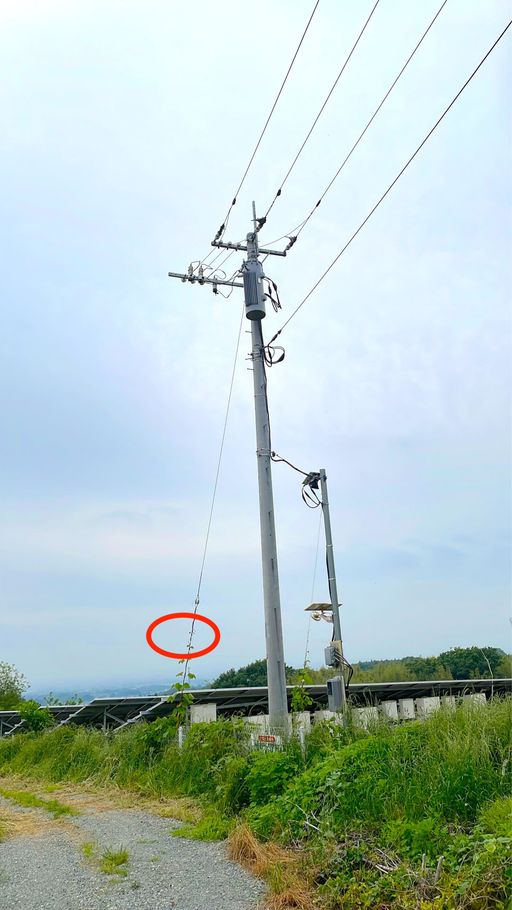
If you find vines while photographing, please check how high the tip of the vine is on the pole and select the appropriate option.
If there are no vines , select “No” (you will not be able to submit the image unless one of the options is selected).
*If the vines are wrapped around support posts or guy wires, please determine the height based on the main pole.
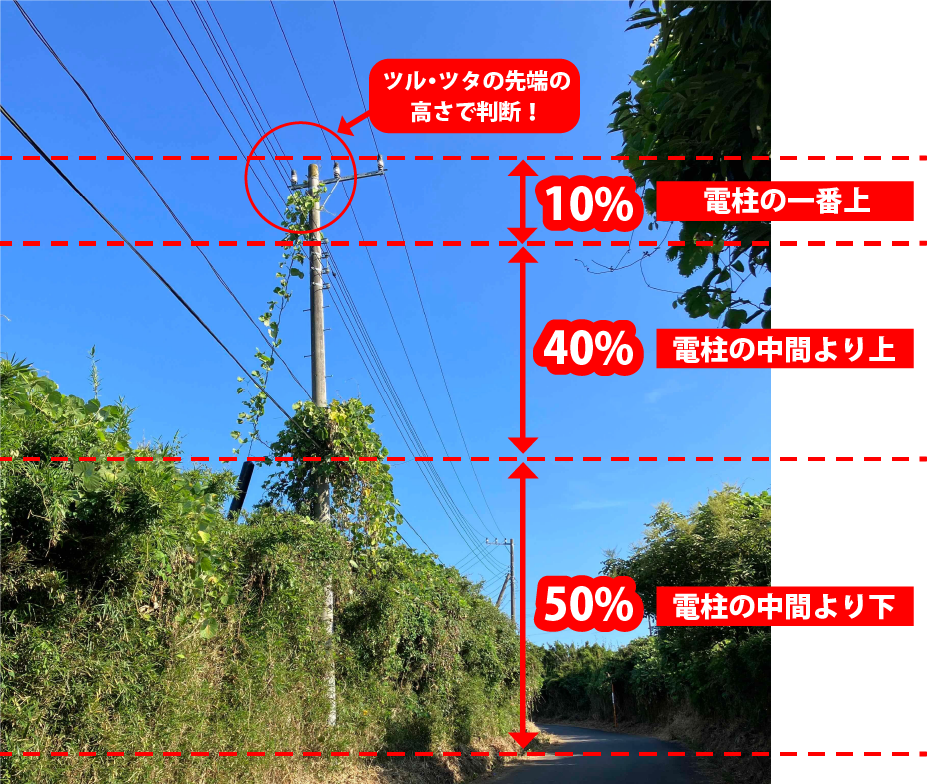
<Examples of Pole (Vine-Prone)>

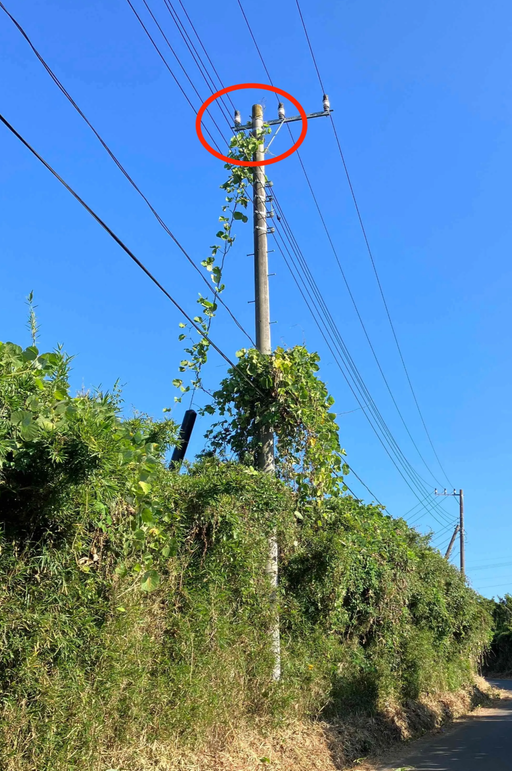
〇Top of the Pole
〇Upper Half of the Pole
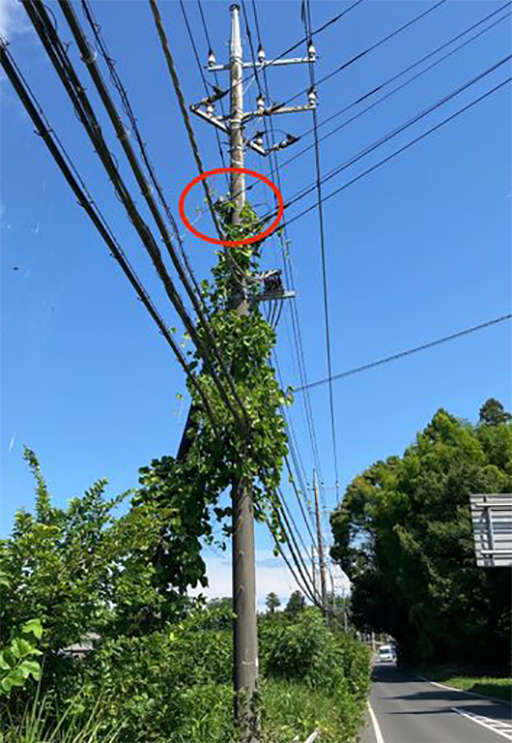
〇Lower Half of the Pole
◼️ Vine & Ivy Reporting Notes

Please note that the following cases may not be eligible for discovery rewards:

· Fully dried-out vines or ivy (no removal needed; no expected impact on equipment)

· Non-vining plants such as trees, shrubs, or herbaceous plants

· Cases where it is unclear whether the plant is vine or ivy

· Very small amounts that are not entangled with equipment and are unlikely to cause future impact

· Vine or ivy only near the base of the pole, not yet reaching or contacting the equipment itself

· Cases involving trespassing on private property or other safety, courtesy, or legal violations during photography

· Other cases deemed ineligible for rewards by the operations team

Please note that we are unable to respond to individual inquiries regarding eligibility for Vine & Ivy Discovery Rewards.

◼️Reporting Difficult-to-Photograph Situations

If there is a problem with the photo target, or if environmental or physical conditions make it difficult to photograph, please use the Report function instead of forcing a photo.

Please refer to the steps below for how to submit a report.

<How to Report>

① Tap the asset icon of the target pole

② Tap the megaphone icon in the upper right

③ Check the applicable issue and tap “Next”

④ If you have a helpful photo, tap “Take Photo” to photograph it, then tap “Submit”